Digger v0.5 adds a replay format that checks itself and fixes online play
Digger v0.5 brings the eDRF replay format, reworked NetSim online play, and fixes for old gameplay bugs.
PC (Windows) → PC (Windows), Linux / Steam Deck, Browser · Port
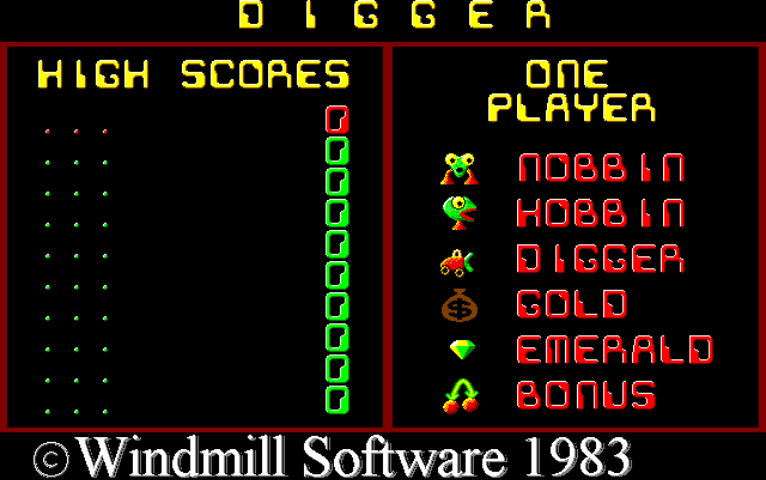
Digger v0.5 is out, and the headline feature is eDRF, a new replay format that checks itself during playback. Digger is the 1983 Windmill Software game, first sold as a copy-protected floppy for the IBM PC. Andrew Jenner remade it in 1998 as Digger Remastered, and Maksym Sobolyev (sobomax) ported that code to SDL, so it now runs on Linux, FreeBSD and Windows.
An eDRF stores the controls pressed on every tick, the random seed of each round, each level’s map, and MD5 checkpoints of the whole game state. Playback feeds the recorded input through the normal input code and compares every checkpoint. If something drifts, the game reports it, and exit status 2 tells a script that the eDRF diverged. To convert an old DRF, play it back while recording: /R:x.edrf /E:x.drf.
Online play got the most work. NetSim is the two-player mode over the network, and it runs on SIP (Session Initiation Protocol, the call-setup protocol VoIP phones use). Each round now gets a fresh random seed that both players share. Before this, every round started with seed 0. The SIP layer got a pile of fixes. The game gives up on a peer that doesn’t answer an INVITE within 5 s, a lost ACK no longer drops a call while the peer’s frames still arrive, and retries back off exponentially. The default sync timeout is now 5 s.
Some old bugs are gone too. The title screen’s simultaneous two-player mode used to fall into alternating-player logic and write past digdat[]. High scores now follow the mode you picked instead of overwriting another mode’s table. A bag kill for the surviving Digger scores 250 instead of splitting 125/125.
One change needs a check. A single Digger’s death now takes 16 more ticks than before. The release notes don’t say whether old recordings still line up with the new timing, so test your DRF files before you trust them.
To try it, grab the Windows ZIP or installer linked from the README, or open the WebAssembly build in a browser. For peer-to-peer network play, one side runs /N:alice-bob and listens on UDP 5060. The other side runs /N:bob@192.168.50.10-alice, with the host’s address.
My take: the eDRF work is the boring plumbing that makes bug reports and speedruns checkable. That’s the part I’d watch. The README’s roadmap for 2.0 (“Digger Reset”) still has unchecked items.