Wii Play Gets a Native PC Port
Wii Play v0.1.0 brings a native PC port for Linux and Windows, with floating-point math that matches Dolphin in traced Tanks! missions and mouse, keyboard and gamepad input.
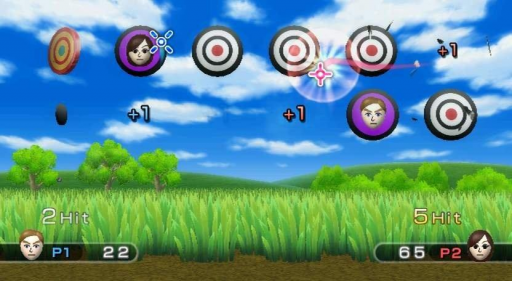
A native PC port of Wii Play, a compilation of minigames originally released for the Wii, is now available for Linux and Windows at version 0.1.0. Built from a matching decompilation, the port runs the game’s original code directly without an emulator, routing graphics through WebGPU via Aurora. The repository is still private and marked as work in progress.
The initial release covers the boot sequence, menus, save system, Select Mii, all nine minigames, the HOME Menu, and support for one or two players. Users must provide their own USA Rev 1 disc files (RHAE01), as the repository contains no Nintendo data. Other regions and revisions are not supported and may misbehave. The release ships source code only, so you build the game yourself.
Highlights
- Faithful Math: Replicates the Wii CPU’s floating-point math and estimate instructions, matching Dolphin bit for bit in traced Tanks! missions.
- Input Mapping: Supports mouse, keyboard, and gamepads configured as Wii Remotes with gyro aiming and rumble, managed via
input.cfg. Gamepads do not read a real swing or shake, so those motions use buttons. - Saves and Miis: Supports custom Mii databases via
--mii-dbalongside save files compatible with the Wii format. Miis stored on Wii Remotes and WiiConnect24 are not available.
How to Try It
- Make a copy of your own USA Rev 1 Wii Play disc and extract the files with Dolphin.
- For Linux, install the required packages (Vulkan driver, GCC plugin dev, CMake, Ninja, and Python 3), clone the repository, update submodules, and build via the provided Makefile.
- For Windows, cross-compile the build on Linux using MinGW-w64 to generate the package, then run
wiiplay.exepointing to your extracted disc directory. The PC needs Windows 10 version 1903 or later, 64-bit.