Recharged 1.0.10 adds the European disc to the Mario Strikers Charged PC port
Recharged 1.0.10, the PC port of Mario Strikers Charged, adds the European disc, a self-updating launcher and sound levels for each audio category.
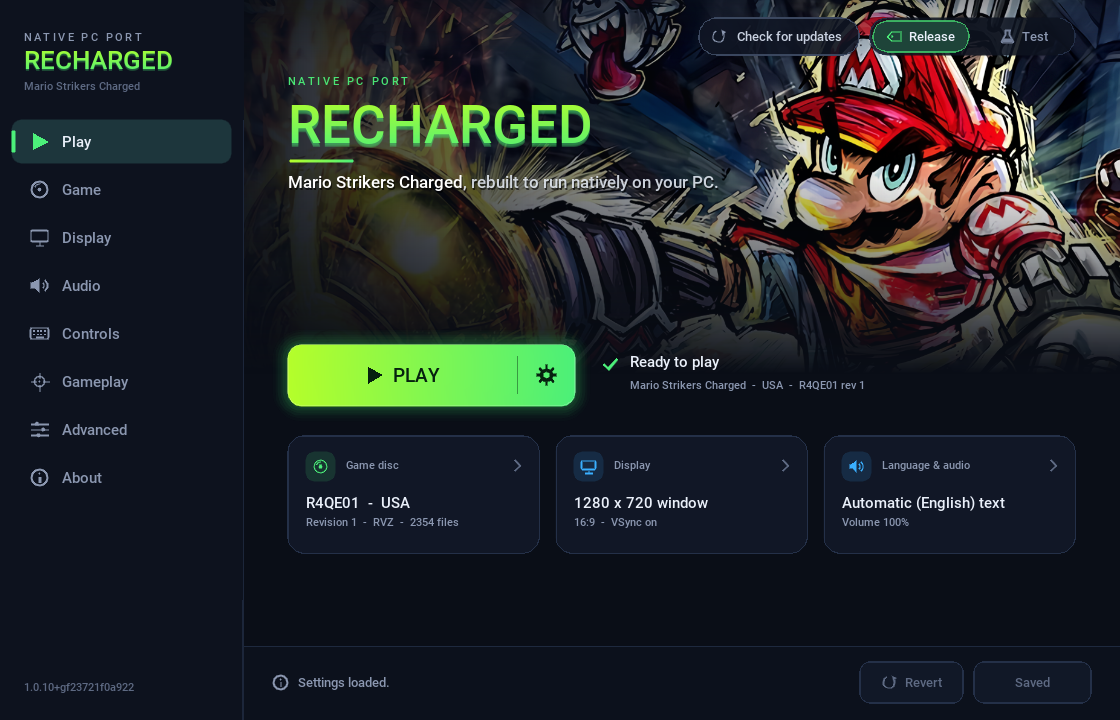
Recharged 1.0.10 is out, and it’s the first release under the new name. This is a native PC port of Mario Strikers Charged, the Wii soccer game. It runs on Windows, Linux, macOS and Steam Deck, and now supports the European version of the game too.
The port lives at Recharged. The repo says it’s ported from decompiled code and is not a recompilation. The README says it compiles the reconstructed source code of the original Wii game into a real PC program, and that the game’s own code runs unchanged. Recharged supplies what the Wii used to handle: graphics, sound, controllers, disc access and saves. The downloads contain no game files. You need your own disc image as .iso, .rvz or .wbfs. Japanese and Korean discs are not supported yet.
The European disc (R4QP01, revisions 1 and 2) now runs from its own module, in its 60 Hz mode, with five languages. The launcher checks for updates on start and asks before it installs anything. It replaces only its own files, and if an update fails, the old version stays. The launcher also scans a folder for game images and reads split .wbfs files. Its Audio page adds sound levels from 0 to 100 % for music, effects, voices, the crowd, menus and HUD, cutscenes and movies.
Several optional tweaks ship with it. Fair ball contests remove a small home-team bias the original had: when both teams reach a loose ball at once, the home team used to win it 52 % of the time on average. The fix is on by default and always on in online and LAN play, so every LAN player needs 1.0.10. Other tweaks include mirror matches, Blue Peach’s blue kit, electric walls at Thunder Island and a No HUD toggle on H.
To update an existing install:
- Unpack the new package over the old folder and start
recharged. - Settings are copied from
mscharged.ini, and your saves stay. - Delete the old
mschargedprogram and point shortcuts atrecharged. On Steam Deck, change the entry’s Target. - On macOS, expect the Input Monitoring prompt again.
Japanese and Korean discs are still unsupported, and the release notes don’t say when that will change.