Painter Momopie gets a Claude-assisted decompilation, Windows port, and level editor
Developer Tenome released v1.0 of a byte-matching decompilation, native Windows port, and modding toolkit for the 1990 Game Boy title Painter Momopie.
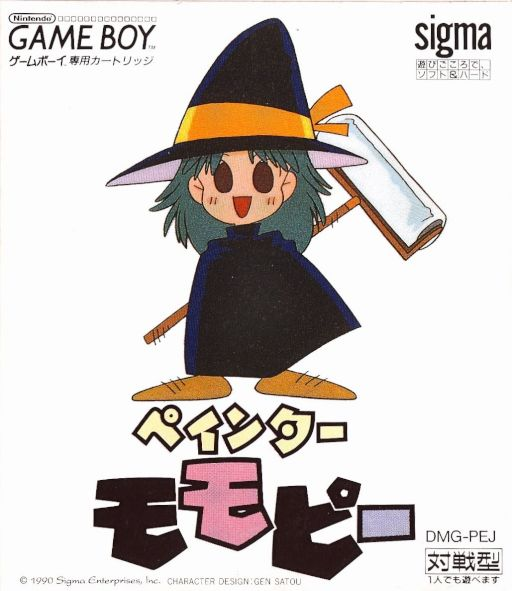
Developer Tenome released v1.0 of Painter-Momopi-Decompilation, a byte-matching decompilation and native Windows port for Painter Momopie, the 1990 Game Boy game from Sigma Enterprises. According to the repository description, the project uses Claude for disassembly, decompilation, and a PC port, alongside a static recompiler and roughly 300 routines rewritten by hand in C and checked frame by frame against the original.
Rebuilding the RGBDS assembly source produces an exact byte-for-byte match of the original 64 KiB Japanese ROM. Because the repository includes no game files, players must supply their own Japanese ROM file (SHA-1: 193901223ffc89cf4f42a19e57447249affcc843) and run build.bat on Windows. The build script requires Python 3.9 or newer, automatically fetches RGBDS and a portable C compiler (about 190 MB) if one is missing, and generates a PainterMomopie folder for personal use only.
By default, game_win.exe plays like the Game Boy original, while optional features toggle on through settings.exe. These include widescreen support up to 240 pixels wide, removal of the Game Boy’s 40-sprite limit to eliminate flicker, and full-color PNG texture replacements that reload with F5.
The v1.0 release also bundles level_editor.exe, a point-and-click editor that needs no Python installation to run, though it displays flat colors until it locates the game data folder built by build.bat. Modders can paint custom maps, configure up to six enemy waves, write custom text-based music tracks for the game’s sound engine, and check stage solvability with an automated pack checker. Custom stages save as .pmpack files and integrate with an in-app Community menu that downloads and submits packs via GitHub pull requests.