MHForever 0.4.0 imports PSP and PPSSPP saves
MHForever 0.4.0 imports Monster Hunter Freedom Unite saves from a real PSP or PPSSPP, and the save format now matches both.
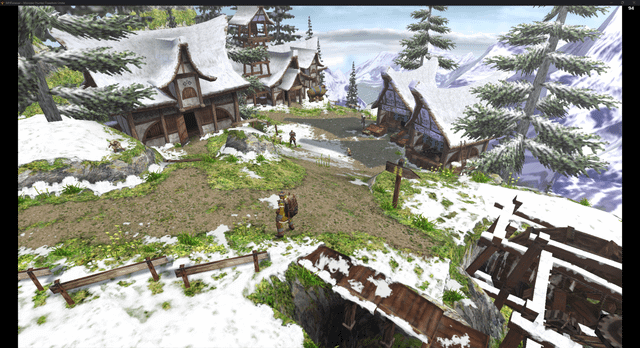
MHForever 0.4.0 lets you bring your Monster Hunter Freedom Unite save over from a real PSP or from PPSSPP and keep playing on Windows. The release went up on October 22.
MHForever is an unofficial native PC port of Monster Hunter Freedom Unite (MHFU), the 2008 PSP game. It runs natively: the game’s code is translated ahead of time into C++, and the PSP system services are rebuilt around it. With 0.4.0 the save format matches the PSP and PPSSPP format, so saves move both ways. Copy MHForever’s save folder into PPSSPP and the hunter loads there.
To import a save:
- Open Settings > Saves in the launcher.
- Pick the folder with your saves: the PSP/SAVEDATA folder, or PPSSPP’s memory stick folder.
- Import. An existing MHForever save is not deleted. It moves to
Documents\MHForever\saves\ULES01213\backups.
Every save is checked before it is written, and the previous version stays next to it as .previous, so you can put it back by hand. Older MHForever saves still load and get converted the next time you save in the game.
Only the European version (ULES01213) works for now, because each version of Freedom Unite encrypts its saves with a different key. American and Japanese saves can’t be imported yet. MHForever saves load in PPSSPP, but the release says a real PSP is not guaranteed to accept them. Back up Documents\MHForever\saves before you update. The port is Windows 64-bit only, and online multiplayer is not available yet.
MHForever.exe is not digitally signed, so SmartScreen may block the first run. Choose “More info” and then “Run anyway”. The zip contains no game data. You need your own disc image.
The release thanks theguyser for the save-data cryptography and his help. The project also says it was developed with AI assistance (Claude). The code is on GitHub under GPL-3.0-or-later, so anyone can read it.