Dragon Ball GT: Final Bout gets a PC recomp with netplay
DragonBallGTFinalBoutRecomp v1.0.0 runs the PlayStation fighter natively on Windows, with widescreen, netplay and an optional English voice mod.
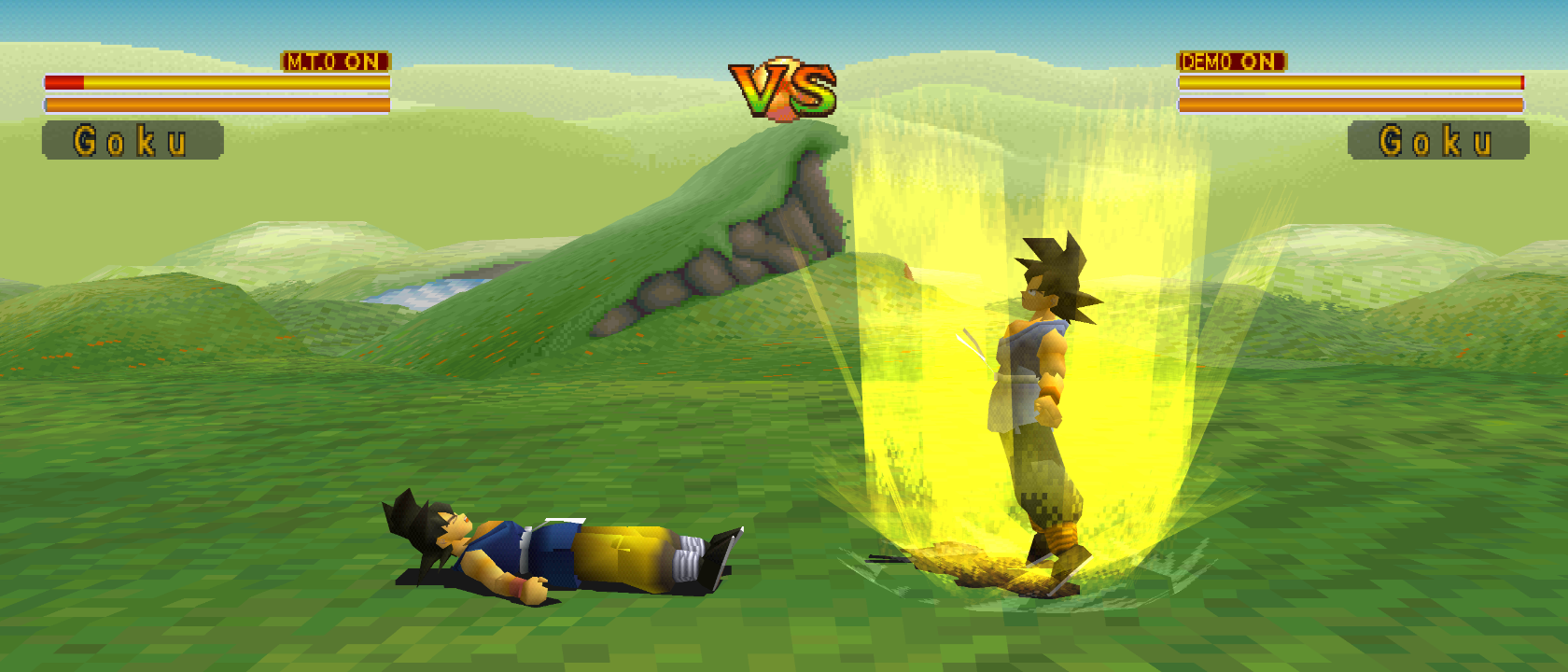
Dragon Ball GT: Final Bout, a PlayStation fighter, now runs natively on Windows. The DragonBallGTFinalBoutRecomp project published its first release, v1.0.0, on October 15. It’s a recompilation of the original game, and the release is a native Windows x64 program.
The release brings adaptive widescreen from 4:3 up to 21:9, with the HUD and stage backgrounds adjusted to fit. It also adds two-player netplay, both online lobbies and LAN or direct IP, plus local versus. Higher internal resolution, controller setup and save states are in the launcher. The optional FuniDub mod swaps in English voices for character intros, combat grunts, attack calls and victory lines. Some lines use generic substitutions or keep the original audio, and mouth timing can be off.
You need your own disc. The project includes no game media or voice recordings. Use a USA Final Bout CUE + BIN image (SLUS-00493). FuniDub also needs a USA PS2 Budokai Tenkaichi 3 ISO (SLUS-21678) for the first import, and the launcher builds the voice pack from it locally.
To try it:
- Download the Windows x64 ZIP from the release page and extract the whole thing.
- Run DragonBallGTFinalBout_Recompiled.exe and pick your CUE + BIN image.
- Turn on widescreen and FuniDub in the Mods page if you want them.
- For netplay, both players need the same release, the same disc and matching mods. Each player prepares FuniDub from their own ISO.
The first run takes longer while overlays compile and cache. The team has checked gameplay, widescreen, audio and two-player play. Some scenes, effects and progression routes are untested, so report problems with your settings and steps in the project’s Issues page.