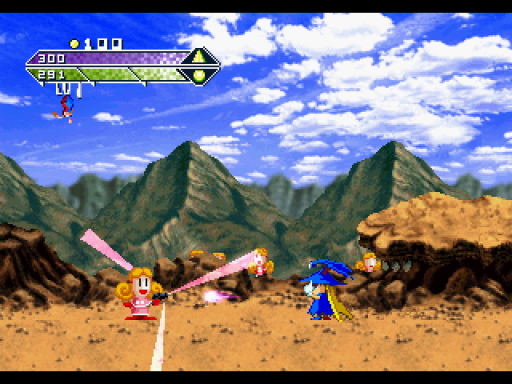
Baroque PS1 Recomp 0.1.2 Adds RecompLauncher Support and Windowless Setup
Baroque PS1 recompiled build 0.1.2 brings RecompLauncher support, windowless prep flags, and fixes a Windows rebuild error.
Developer goodshepherd23 released version 0.1.2 of Baroque-PS1-Recompiled, a native PC build of Baroque: Yuganda Mousou (PlayStation, SLPM-86328, English v1.02) built with the PSXRecomp static recompiler and the recomp-ui launcher.
Version 0.1.2 adds recomplauncher.json so RecompLauncher can set up the game. Drop a .cue file onto its setup screen and it checks the disc, generates and builds the game without a window, and starts it directly from Play. Window mode, internal resolution, texture filtering, screen filter, and V-Sync sit on the game’s page in the launcher.
Baroque_Recompiled still opens the setup wizard or starts the game once built. The release adds Baroque_Recompiled --prepare --game=<your .cue> to run the wizard’s Generate & rebuild step without a window and print progress lines for launchers and scripts. It also fixes a Windows error where running Generate & rebuild a second time over an existing build hit NotImplementedError: utime: follow_symlinks unavailable on this platform.
Setup
- Extract the release ZIP into a writable folder.
- Bring a 2-track CUE/BIN dump of the Japanese PlayStation disc Baroque (SLPM-86328) with the English v1.02 fan translation applied and keep the CUE next to both BIN tracks.
- Run
Baroque_Recompiledto use the setup wizard and select your.cuefile, or use RecompLauncher.
The build uses a bundled OpenBIOS image, and still requires data track 01 MD5 942542bdad4b70e13e52772eebdcf63d to generate the game code. Deep dungeon floors, saving and loading, the ending, and Linux and macOS gameplay are not tested yet, and RecompLauncher itself, Linux, and macOS were not tested for this release.