Azure Dreams gets a Windows recomp with HD and widescreen
Azure Dreams HD Recompilation v0.9.1 is in public beta: a native Windows port of the PS1 game with HD and 16:9 modes.
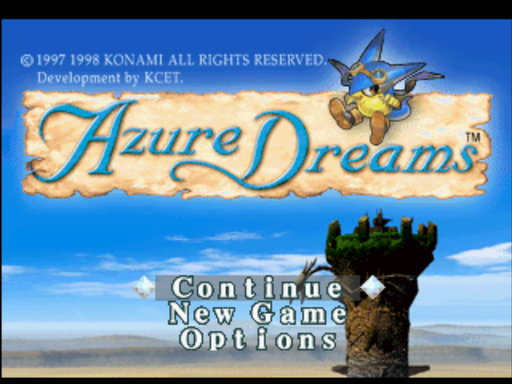
Azure Dreams, Konami’s game for the original PlayStation, now runs natively on Windows. The fan project Azure Dreams HD Recompilation reached v0.9.1 as a public beta on 19 October 2026. It’s built with psxrecomp, a static recompilation framework that turns the original game code into C and compiles that into a Windows executable.
The download has no game data. You bring your own disc image, the .cue with its .bin, from a legal copy of the USA release (SLUS-00614). The first launch asks for it and remembers the path.
There are two launchers. HD mode gives you 16:9 widescreen, up to 4x internal resolution, perspective-correct textures, smoothed movies, fast loading, and a faster CPU that removes the original slowdown on busy tower floors. Original mode runs at 4:3 and native resolution, with the original loading and speed. Memory-card saves and controls are shared between them. Each mode keeps its own settings.
The biggest practical change is loading. In-game saves and loads take about 2 to 3 seconds instead of 17 to 22.
The 0.9.1 fix covers a map bug in HD widescreen. After a prompt such as the elevator’s, the tower map could slide off-centre and hide your marker until you moved. The map now stays put, and its window is a bit bigger. Saves made with 0.9.0 in HD mode carry the bad position, and it corrects itself the next time you play in HD mode and save. Progress is not affected.
Limits: the author tested the build for many hours but has not finished the game on it. Old save states won’t load. Memory-card saves will. No PlayStation BIOS is needed, since OpenBIOS is bundled. Controllers work through SDL or the keyboard in digital-pad mode, because the game predates the DualShock and ignores analog pads.
To try it:
- Unzip the package anywhere.
- Run Play Azure Dreams (HD).bat or Play Azure Dreams (Original).bat.
- Point the launcher at your .cue file.
Building from source needs Git, Python and your own disc. Clone into a short folder such as C:\src, because Windows fails on the deep framework paths otherwise.
The project ships no game data, BIOS or recompiled game code, so you need your own disc.
Azure Dreams is a Konami trademark. This is an unofficial fan project, not endorsed by Konami.