Ape Escape recomp v0.5.6 adds a PS1-style dithering filter
ApeEscapeRecomp v0.5.6 runs the PS1 game Ape Escape as a native Windows program and adds a dithering filter.
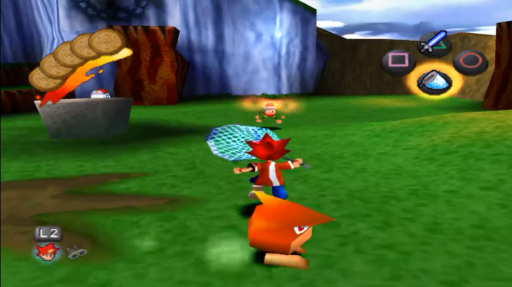
ApeEscapeRecomp v0.5.6 is out, and it runs Ape Escape (USA, SCUS-94423), a PlayStation 1 game, as a native Windows x64 program. It’s a static recompilation. The game’s MIPS code is translated ahead of time into C, then built into an executable that runs on a simulated PS1 with the real PS1 BIOS.
The project is built on mstan’s psxrecomp framework, the same one behind the TombaRecomp and MegaManX6Recomp projects. The author calls the game work a proving ground for the framework, and calls these builds in-development previews with rough edges.
This release adds a dithering filter under Mods > Image Filtering > Dithering. Turn on Image Filtering first, then pick Game default, Off, Native (PS1) or Fine. The new modes work with the OpenGL renderer. Other renderers keep the setting for the next OpenGL session.
How to try it:
- Use your own legally obtained Ape Escape disc. The project doesn’t include one, and DISC.md lists the hashes to check against.
- Download the Windows x64 release. OpenBIOS is bundled, so a retail BIOS is optional.
- Keep your old settings and memory cards when you update. Save states only work with the build that made them.
The game isn’t verified to the end yet, and two archive members are still excluded from the static coverage.