Wind Waker HD native PC port v0.2.13 adds portable Linux mode and Android setup fixes
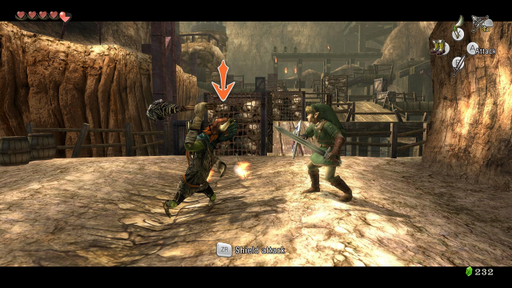
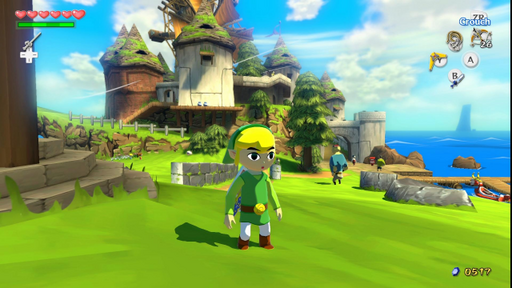
ZeldaWWHDRecomp v0.2.13 runs The Wind Waker HD on Windows, macOS, Linux and Android, and adds a portable AppImage mode.
Wii U → PC (Windows), Linux / Steam Deck, Mac, Android · Recompilation
ZeldaWWHDRecomp shipped v0.2.13 today. It’s a native port of The Wind Waker HD, the Wii U remake of The Legend of Zelda: The Wind Waker, and it runs on Windows, macOS, Linux and Android.
The release contains no game files, no game code and no keys. You bring one of three things: a disc dump (.wux or .wud with its disc key, plus the Wii U common key from your console), a Cemu .wua archive (Cemu is the main Wii U emulator), or an already extracted game folder. The installer builds the game from that source on your machine. The first start takes about two minutes. Later starts launch straight away, and everything stays in the game folder.
The platform notes matter more than usual. The macOS app is for Apple Silicon on macOS 14 or newer, and Apple doesn’t sign it, so you approve it by hand (Open Anyway on macOS 15+, right-click then Open on 14). Windows has the same SmartScreen step. Linux needs glibc 2.35+ and Vulkan, and the AppImage works on the Steam Deck. Android needs arm64, Android 13+ and Vulkan 1.3. The phone builds the game itself, which takes a few minutes.
The new portable mode for the Linux AppImage comes from an idea by @missionfloyd in issue #55. Make a folder named like the AppImage plus .data, and saves, settings and caches stay in that folder. Android setup got a friendlier screen, and the app icon starts the game. Shader preparation on an Apple Silicon Mac dropped from about four minutes to about ten seconds, with the same result.
The fix list is long. A crash with Quick doors and spores in the Forbidden Woods is gone (issue #145). Intel UHD graphics get a workaround for a driver crash (issue #144). Some Adreno phones stop throwing “device lost” errors, because the precise GPU barriers from v0.2.12 are now off by default (issue #104). Experimental mods stay hidden until you switch them on, and turning one on backs up your saves first.
This is the pattern the scene has used since Zelda64Recomp: no assets in the download, your own dump in, and the recompiler does the rest. What I’d watch is the spread. A Wii U game now builds on a phone, and the install notes name Raspberry Pi 5 and Asahi Linux as targets. The Adreno fix is the one to keep an eye on. v0.2.13 solved those crashes by turning the barriers off, not by making them work, so the Android build still has a known weak spot.
Try it: grab the zip or AppImage for your system from the releases page, supply your dump or Cemu archive, and let the first start finish.