LEGO Harry Potter: Years 1-4 Recompiled for Apple Silicon
Static recompilation project brings the Windows version of LEGO Harry Potter to native Apple Silicon Macs without emulation.
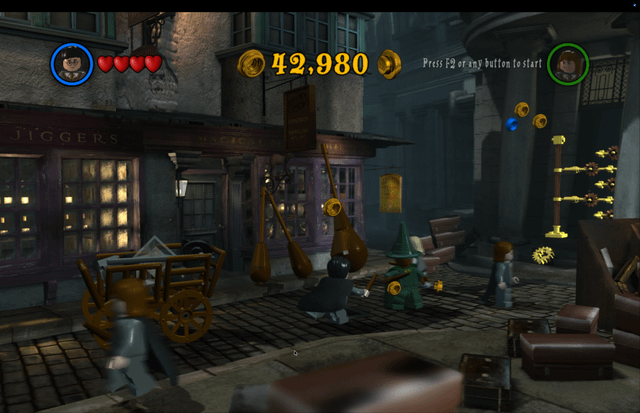
Developer itsdunintime104 has released WizardBrick-Recomp, a static recompiler that translates the Windows build of LEGO Harry Potter: Years 1-4 (TT Games, 2010) into native arm64 code for Apple Silicon Macs. The release follows the author’s previous work on MacRecomp, an engine that rebuilds older 32-bit binaries as native macOS applications without relying on Wine or a CPU emulator.
The recompiler converts the game’s x86 code directly into C, which Clang then compiles into a native binary. Graphics commands go from Direct3D 9 to Vulkan through DXVK, and KosmicKrisp translates Vulkan to Apple’s Metal API.
Requirements and Setup
The project requires an Apple Silicon Mac, Xcode Command Line Tools, Homebrew dependencies, Python 3.11 or newer, and a legal copy of the Steam version (build 660, app 21130). Because macOS versions of the game do not exist, users must acquire the files using SteamCMD, a Windows installation, or a compatibility layer like CrossOver or Whisky. The GOG copy is untested, so setup accepts it only if its LEGOHarryPotter.exe matches the Steam build 660 file.
- Install Xcode Command Line Tools by running
xcode-select --installin your terminal. - Install the required build dependencies using Homebrew:
brew install sdl2 sdl3 faudio vulkan-loader vulkan-headers meson ninja pkgconf glslang llvm spirv-llvm-translator spirv-tools zstd autoconf automake libtool bison flex mingw-w64 - Obtain the game files via SteamCMD or a Windows PC install.
- Clone the repository and run the setup script to compile the game locally.
The project currently runs at 120 FPS at 2056x1290 on tested hardware. Shader compilation can cause brief frame drops during early gameplay.

