Until Dawn: Rush of Blood PC VR Port Drops the Paywall in Version 0.5.0
RushVR v0.5.0 brings free Quest controller support and experimental 120 fps to the Until Dawn: Rush of Blood PC VR port.
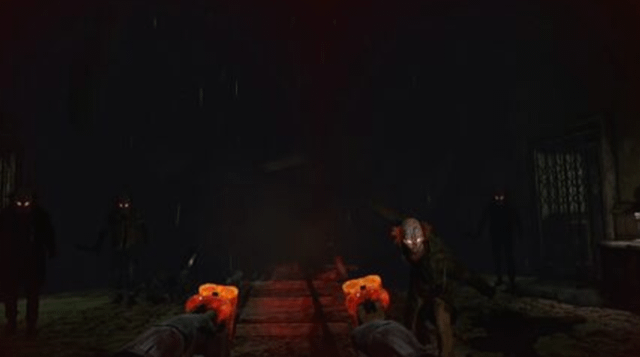
Until Dawn: Rush of Blood, a PlayStation VR game, now runs on PC through shadPS4, a PlayStation 4 emulator. Solo developer RandomName729 released version 0.5.0 of RushVR, moving Quest controller support out of the supporter-only tier and into the public build.
Players no longer need a separate download or license file to map Meta Quest 3 controllers as PlayStation Move wands. You just need to unplug any connected DualSense controller, toggle the option in the launcher, and squeeze the grip during the game’s prompt. The Quest controller support has been tried by one person on one Quest 3 so far.
Version 0.5.0 also adds experimental 90 fps and 120 fps targets alongside the default 60 fps. The game keeps its speed, so voice lines and captions stay synced. Reaching 120 fps needs a strong PC. The fixes for black streaks in the pig room on level 2 and broken flashlight shadows in level 1 came earlier, in version 0.4.5.
Levels 1 through 4 are playable in this early work-in-progress build, though known issues remain. You might still encounter soft or pixelated pictures in dark scenes, occasional stutters, dark player arms during the intro, and the game sometimes stopping after level 1.
How to try it
- Grab your own copy of the US or UK version of Until Dawn: Rush of Blood (CUSA03683), dumped from your own PS4.
- Download
RushVR.exefrom the GitHub releases page. - Ensure you have a Windows PC with a Vulkan 1.3-compatible GPU and an OpenXR headset like the Meta Quest 3 running through Virtual Desktop or SteamVR.
- Launch the game, configure your resolution and controller settings in the startup window, and play.