Titanfall 2 campaign runs natively on Apple silicon Macs through a static recomp
A static recompiler turns the Windows PC campaign into native arm64 code. It runs without Wine or Rosetta, and it's playable now.
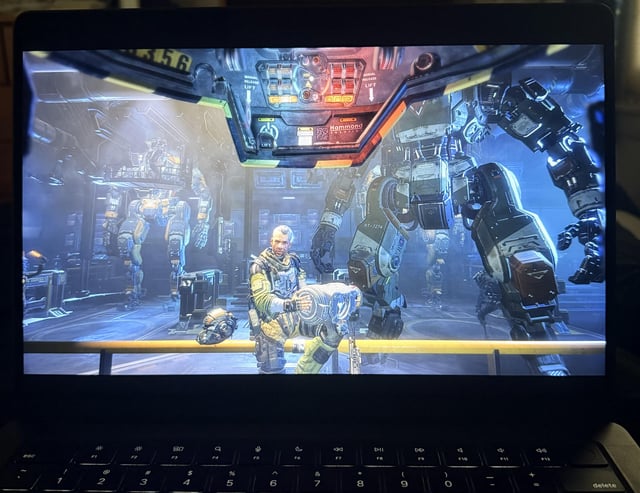
A Mac user has built a native Apple silicon version of the Titanfall 2 single-player campaign, and it’s playable now. The project is a static recompiler: it translates the game’s Windows x86-64 DLLs into arm64 code ahead of time. The author, who posts as rkutyna, says Claude worked on it.
The titanfall2-mac build links the translated code with a runtime that stands in for the Windows parts the game uses: files, threads, windows, input and sound. Graphics go through DXMT, which maps Direct3D 11 onto Metal. The game runs as a normal Mac program and doesn’t use Wine, Rosetta or CrossOver.
On a 14-inch MacBook Pro with an M3 Pro and 18 GB of RAM, the author reports light scenes at 85 to 100 fps at 3024x1890, with MetalFX upscaling from 1800x1125. Heavy fights average 82 fps with a paid Apple Developer account and 54 fps without one. Native full resolution with no MetalFX drops to 43 to 46 fps, which the author puts down to the GPU.
The account matters for speed. x86 code expects stricter memory ordering than ARM gives. Apple silicon has a hardware mode for this, the one Rosetta uses, but macOS only enables it for apps signed with a special entitlement. Without it, the build handles the ordering in software. The author calls that correct but slower in heavy fights. There’s also an experimental path for free Apple IDs. The author hasn’t tested it and asks free-account users to report back.
All 13 campaign maps load and run in automated tests, and the author has played long sessions with sound. So far only one Mac has been tested. Multiplayer is untested, and the runtime opens no network sockets, so nothing connects to EA.
How to try it:
- Get your own PC copy of Titanfall 2 from Steam or the EA app, and copy its install folder to your Mac. The repo contains no game files.
- Prepare an Apple silicon Mac on macOS 26.5 or later, with Xcode and the Metal Toolchain, plus a few Homebrew packages.
- Keep about 40 GB free for the build, on top of the game’s roughly 60 GB. The first build takes a while.
Next up are reports from other Macs and results from the free Apple ID path.

