SwitchDeck turns your modded Switch into a PC control panel
Developer SertAy released SwitchDeck, a homebrew app that connects your Nintendo Switch to Macro Deck on PC for controls and live widgets.
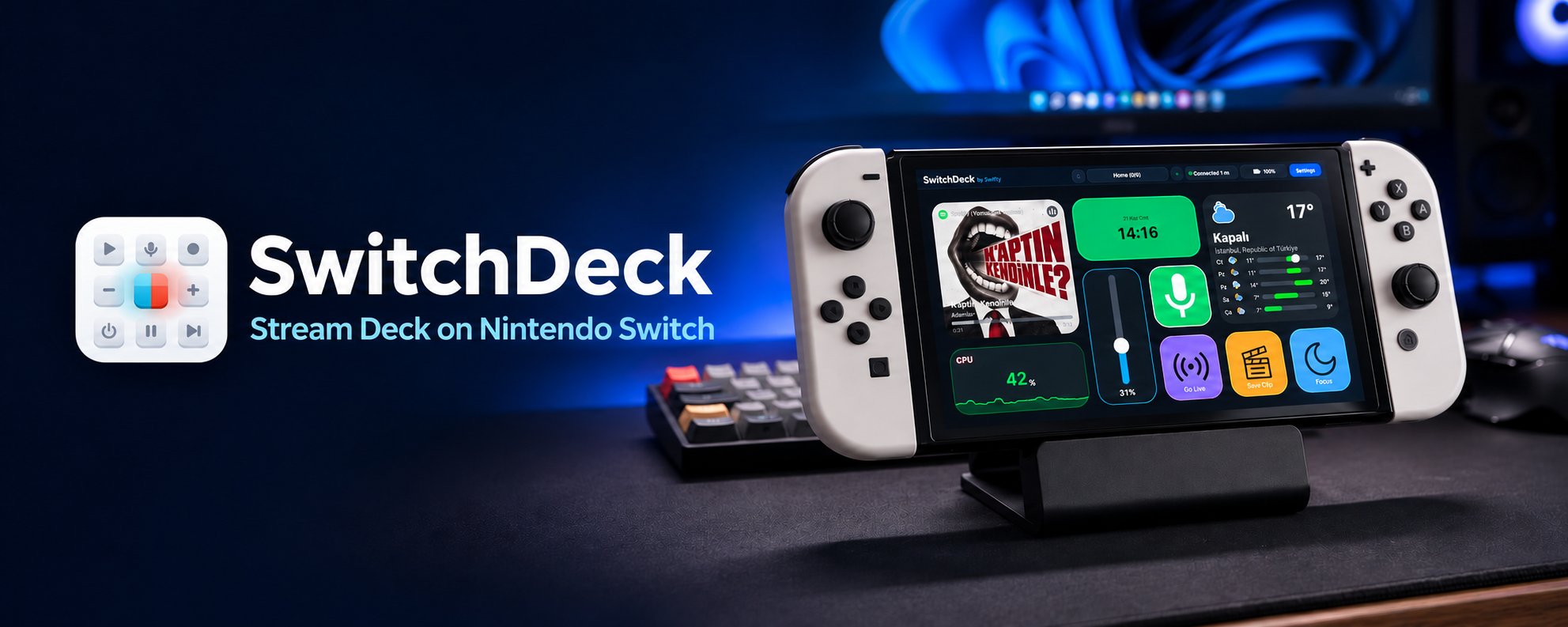
Developer SertAy released SwitchDeck, a homebrew application for Nintendo Switch that turns the console into a Stream Deck-style control panel. It connects over your local network to Macro Deck on your PC.
The app lets you run macros, adjust volume, skip Spotify tracks, and display live widgets like weather, clocks, timers, and CPU, GPU, and RAM usage on the Switch screen. You can navigate pages and activate widgets using either the touchscreen or Joy-Con controls. The interface supports three themes, including OLED Pure Black, and works in English and Turkish.
To set it up, you need a modded Switch running custom firmware (CFW) with Homebrew Menu access, a PC running Macro Deck with at least one widget or action in a profile, and both devices on the same local network. Download the latest .nro file from the SwitchDeck GitHub release page and place it in the SD:/switch/ folder on your memory card. Homebrew App Store support is listed as coming soon. Open SwitchDeck on your console, go to Settings -> Connection & Server, and select Search Network or enter your PC’s IP address manually (Macro Deck 3 uses port 8193 by default). Open Macro Deck on your computer, navigate to Devices -> Add Device, and enter the generated six-digit pairing code on your Switch.