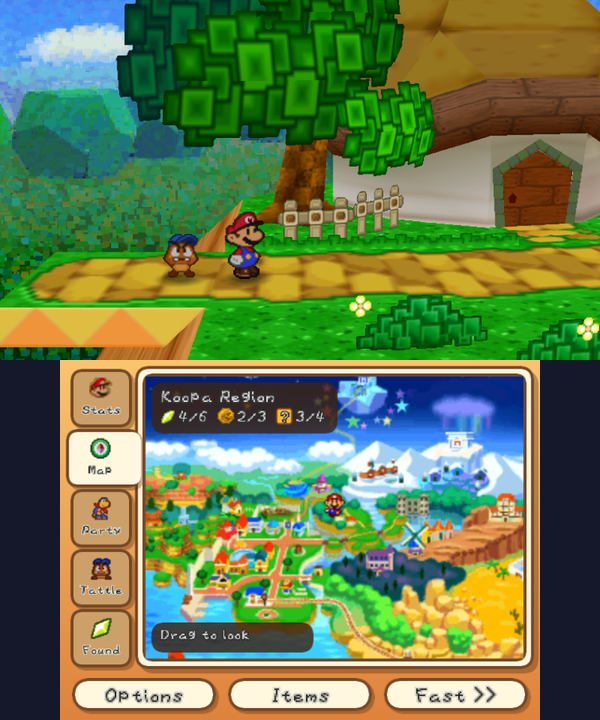
Star Haven 1.3.13 Adds iQue ROM Support and Trims RAM Usage
Star Haven v1.3.13 combines EU, US, and iQue Paper Mario ROMs into one app and drops memory usage by 15 MB on Nintendo 3DS.
Star Haven, a native Nintendo 3DS port of Paper Mario built from the papermario decompilation, has reached version 1.3.13 with unified ROM support and memory optimizations.
This release merges the Chinese iQue Player version with the EU and US versions in a single app. If the SD card has more than one ROM in /3ds/StarHaven/, the app asks which game to start. The separate StarHaven_iQue install from 1.3.12 can be deleted in FBI → Titles, and saves stay. The iQue version has been checked on every map and battle in an emulator, but not yet on a real 3DS, so report anything odd.
The app now keeps only the running version’s game data in memory, so it uses about 15 MB less. If you come from 1.0.0 or 1.0.1, delete the old Star Haven icon after installing (FBI → Titles, or System Settings → Data Management). Saves are kept, since 1.0.2 changed the title ID. Frame rate depends on the console: 60 fps on the New 3DS family, and about 20 to 30 fps on the original 3DS and 2DS, depending on the area.
How to Try It
- Install
StarHaven.ciausing FBI remote install, which needs a 3DS with custom firmware, or grabStarHaven.3dsxfor the Homebrew Launcher (New 3DS family). - Place an EU, US, or iQue ROM into the
/3ds/StarHaven/directory on your SD card. - Launch the app from the HOME menu. If several ROMs are on the card, pick the one to play.