Rusty MCLA 0.3.0 adds traffic that follows lights and car damage to the Xbox 360 PC port
Rusty MCLA 0.3.0 adds traffic that obeys lights, car damage and the original camera views to an unofficial PC port of Midnight Club: Los Angeles.
Xbox 360 → PC (Windows) · Port
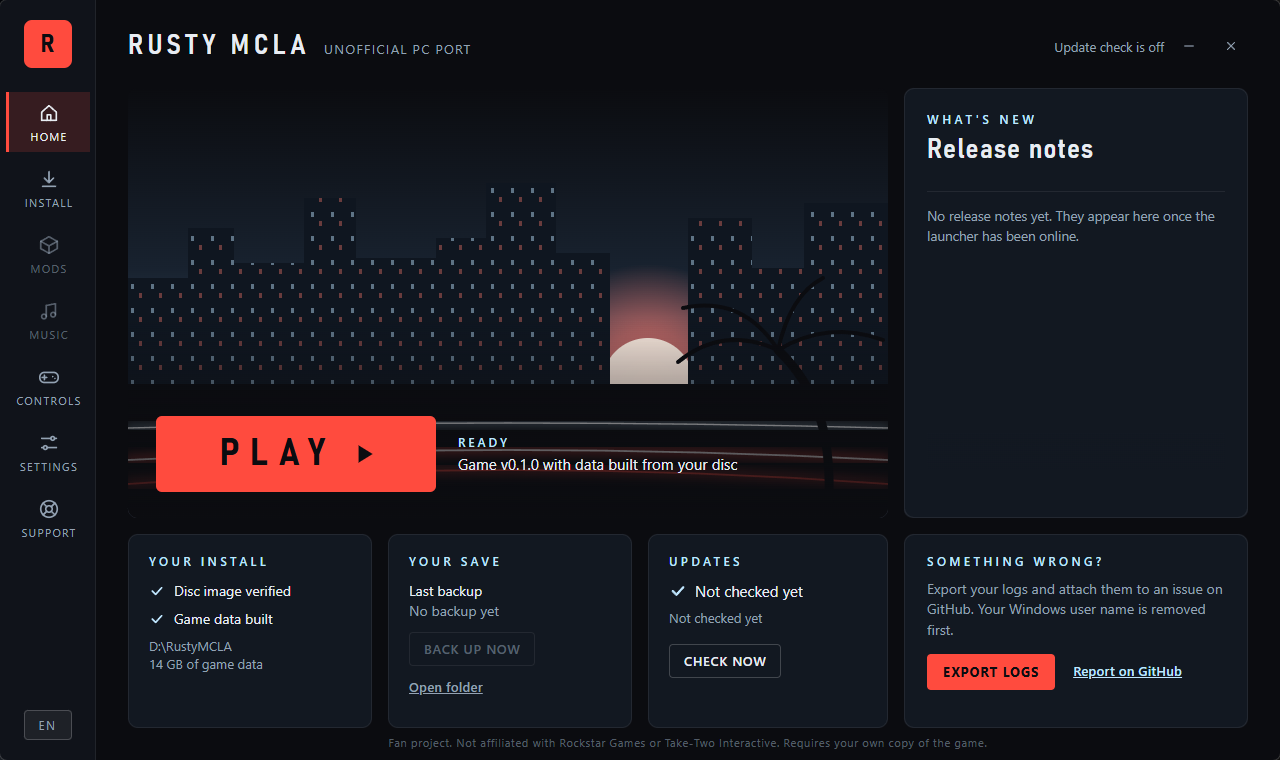
Rusty MCLA, an unofficial PC port of Midnight Club: Los Angeles (Complete Edition), the Xbox 360 racing game, released version 0.3.0 on October 21. It runs on Windows and needs your own disc image of the game. The project is in early development, and the developers ask for crash reports only.
Rusty MCLA is a new engine written in Rust. It reads the game’s own data from your disc and runs it natively on PC, so the console itself is not emulated. Nothing from the game ships in the repository or in the releases.
The biggest changes in 0.3.0 are in traffic and damage. Cars now follow the true curves of the lanes, stop at the stop line and clear a queue when the light changes. Cars share one physics level, so crashes with other cars and with props go through the original’s solver. Dents, scratched paint, cracked windows and a torn-off bumper that bounces and slides are in too. The camera button now steps through the original’s five views, and a handbrake donut brings in the Burnout view. Ten car set-ups that had been extracted under junk names are now found by their name hash.
The notes list plenty still open. Some sounds are stand-ins, GOAL ATTACK mode is not built, wheel smoke looks wrong, and the frame rate drops at random while racing. Online play, custom music, car mods, rumble and racing wheels are postponed. The update from 0.2.0 has not been tested on a second machine, so if something breaks, use Export Logs on the Support tab. Settings > General can also roll back to the previous version.
You need Windows 10 or 11, a graphics card with Vulkan or DirectX 12, and enough disk space for the game data built from your disc. Linux and macOS are planned.
How to try it
- Get your own disc image (
.iso) of Midnight Club: Los Angeles, Complete Edition (USA, Europe). The project does not supply it or help find it. - Download the launcher from the Releases page. It is one portable file.
- Start it, choose your disc image and let it build the game data into that folder. The README says this is done once.
- Press Play.
The README still describes the disc setup as work in progress, so treat these steps as the planned flow.
The project rebuilds the engine instead of emulating the console, so a PC needs only the data from your disc.
