ReLayer 0.1.1 Patches Freezes in the Fighting Layer PC Port
Fighting Layer PC port ReLayer receives version 0.1.1, fixing arcade mode freezes, exclusive fullscreen bugs, and controller input hangups.
Arcade → PC (Windows) · Port
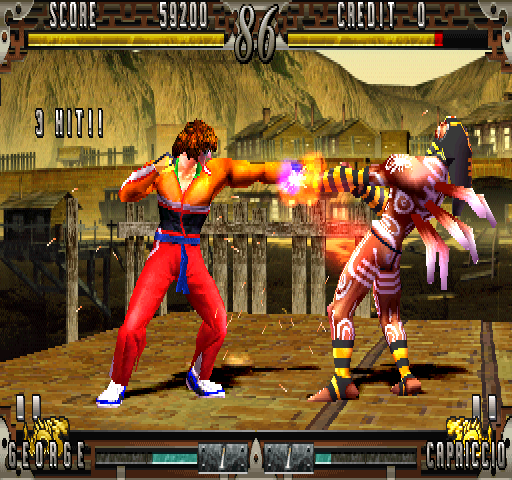
QuietClubGames released ReLayer v0.1.1, an update for the unofficial Windows PC port of Arika’s 1998 arcade fighting game Fighting Layer. You need to provide your own fgtlayer.zip MAME ROM set to run it.
The update fixes a bug where the stage loader task did not free its slot. After a few stages there was no room to start the next one, and arcade mode sat on a black screen. Version 0.1.1 also resolves a freeze that occurred when switching to exclusive fullscreen via the menu, Alt+Enter, F11, or Alt+Tab.
Menu controls could stop responding on controllers that report a button as held, such as a resting trigger, some fight sticks, or a second device. The game now listens again after half a second. If Direct3D fails, the app restarts Direct3D instead of dropping to a menu-less mode. PCs without a usable graphics card fall back to Windows’ software renderer, which shows the original graphics only.
Setup isn’t code-signed, so Windows may show a warning. Choose More info, then Run anyway.
How to try it
- Download
ReLayer-Setup.zipfrom the ReLayer GitHub repository and extract it. - Run
Setup.exe, select yourfgtlayer.zipROM, and choose an install location. - Press
Back+Starton a controller orTab/Escon a keyboard to open the in-game menu.