Ratchet & Clank Recomp 1.3.0 fixes the installer and adds a language picker
A fan-built native Windows port of the PS2 game Ratchet & Clank gets a 1.3.0.1 installer that works from your own ISO.
PS2 → PC (Windows) · Port
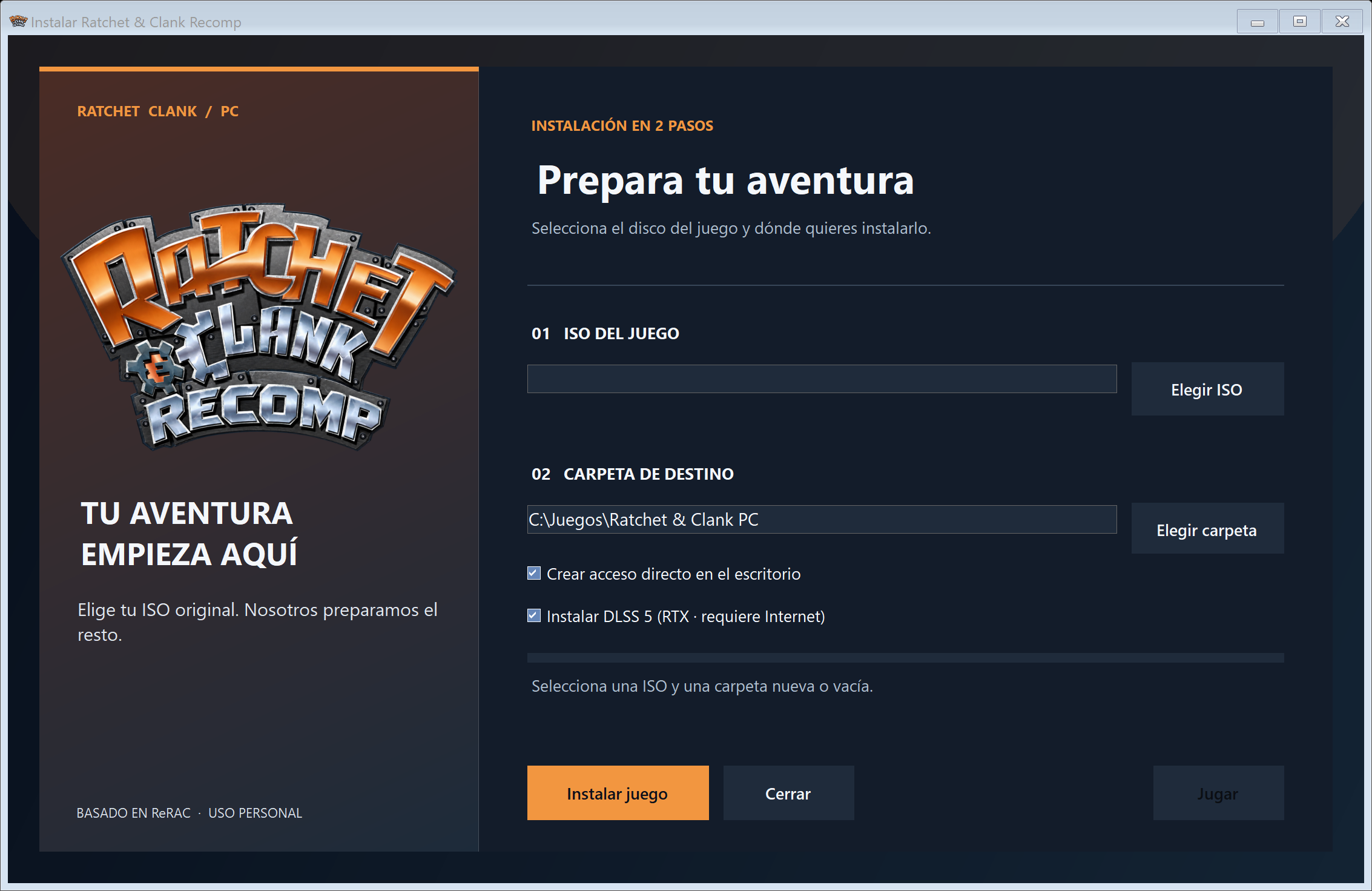
Ratchet & Clank Recomp is a native Windows port of Ratchet & Clank, the PlayStation 2 platformer. The latest installer, 1.3.0.1, came out on October 18 and fixes an error at the end of the DLSS 5 setup. It also adds a language picker.
The port builds on ReRAC: The Ratchet & Clank Rewrite, a project by the ReRAC contributors that supplies the engine, the game logic and the data extraction. The MarcPique repository is a personal variant on top of that work. The author says it is not an official ReRAC release.
The main change for most people is the installer. You download one EXE, point it at your own USA ISO (SCUS_971.99, a disc image), and choose an empty folder. It checks the image, extracts the game data locally and makes a desktop shortcut. The download itself contains no game data. Plan on about 6 GB free during install.
Version 1.3.0.1 writes a dlss5-feed.cfg file before the first launch, so Advanced Options can see the DLSS 5 add-on. The installer now offers English, French, German, Spanish and Italian. The author tested the USA ISO and checked the installer in all five languages at 3840 × 2160.
The graphics menu covers an internal resolution up to 2160p, MSAA, FXAA and SMAA, vsync, an FPS cap and three image profiles: Original, Mejorado and Personalizado. Controller icons for DualSense, DualShock, Xbox and Switch can be set to automatic or manual.
Limits: the author did not test the game on PS5, and the PS5 port is not included. The ReShade overlay (a third-party post-processing tool) is disabled, though a short notice may appear at launch. The README says the repository is private for personal preservation, but the page is public. Unclear which one holds.
How to try it:
- Download Instalar-Ratchet-Clank.exe from the latest release.
- Pick your USA ISO (SCUS_971.99) and an empty destination folder.
- Choose a language in the installer window.
- Launch the game from the desktop shortcut.