Rampage Recompiled v0.3.0 brings both N64 Rampage games to PC
Rampage Recompiled v0.3.0 alpha runs Rampage: World Tour and Rampage 2 natively on Windows, Linux and macOS. You supply your own ROMs.
N64 → PC (Windows), Linux / Steam Deck, Mac, Android · Recompilation
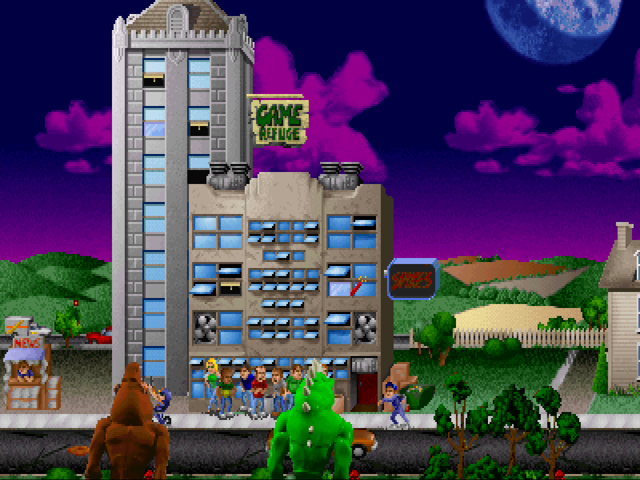
Rampage: World Tour and Rampage 2: Universal Tour, the N64 monster-smashing games from 1998 and 1999, now have a native port in a prerelease. Rampage Recompiled v0.3.0 is an alpha that runs on Windows, Linux and macOS, with Android and Linux arm64 builds as well. You still need your own ROMs.
The port uses static recompilation. The games’ own N64 code gets translated into native code with N64Recomp. Nothing from the games lives in the repo, and the project doesn’t download any of it.
According to the README, both games boot, take input, play and have sound. Rampage 2 has only been tried through its first levels. Controller pak saves don’t work yet: the game says no pak is inserted. The Linux, macOS, Android and arm64 builds compile, but nobody has run them on real hardware yet.
How to try it:
- Get your own USA ROM of either game as a
.z64file. The README asks for the usual big-endian No-Intro dump: World Tour CRCC29FF9E4, Rampage 2 CRC673D099B. Keep about 8 GB of free disk space. - Pick a system: Windows 10/11 x64 with a DirectX 12 GPU, Linux x64 with a Vulkan driver, or macOS on Apple Silicon with Xcode installed.
- Download Rampage-Installer from the latest release, point it at your ROM folder, and tick “This computer”. Or download the repo as a ZIP, put the ROMs in the folder, and run
Setup.cmdon Windows or./setup.shon Linux and macOS.
The first run takes 20 to 60 minutes. If it fails, rerun it and it picks up where it stopped. The full log is in logs/setup.log.
The Android builds are an .apk per game for arm64 phones and handhelds with Vulkan. They’re built in Docker. The docs/other-builds.md file explains how to get them onto the device.