PS5 Linux Loader fork boots Linux from an M.2 SSD, no USB stick needed
TheRealRexo's v1.0.0 fork of PS5 Linux Loader adds a WebUI, M.2 install tools and USB-less boot for jailbroken PS5s.
TheRealRexo’s fork of the PS5 Linux Loader, v1.0.0 released October 26, lets a jailbroken PS5 boot Linux from an internal M.2 SSD. The fork builds on the upstream ps5-linux-loader project, which boots Linux on a jailbroken PS5 by resuming from rest mode and defeating the hypervisor. Firmware from 3.00 to 13.60 on Phat and Slim, and 13.60 on Pro, is listed as supported.
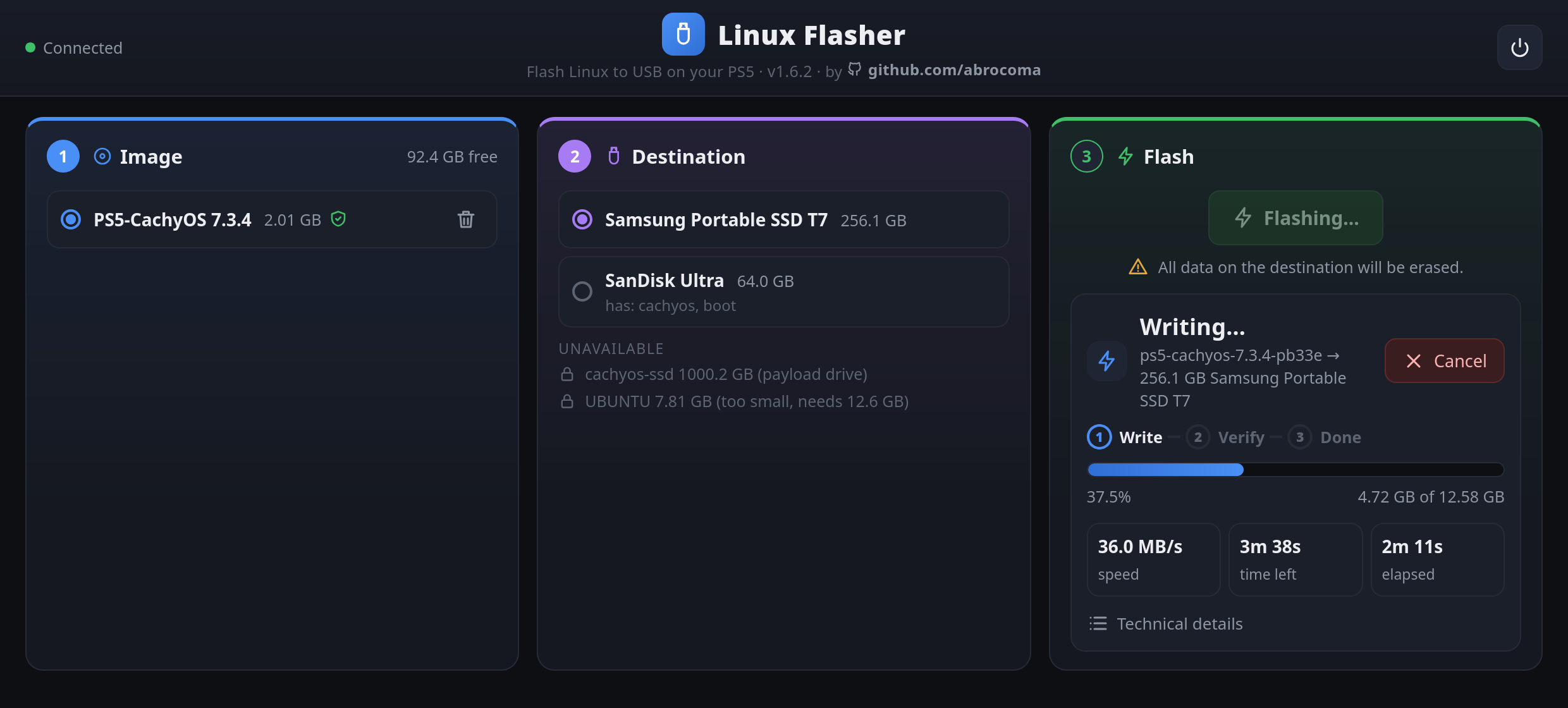
The payload runs a web page on port 8080 with an OS image picker, a target and size selector, a VRAM setting and a file manager. Anonymous FTP on port 21 handles the large .img files. Nothing boots on its own. You open the page, pick an image and target, set VRAM and click Boot Linux.
Wrapped images cover Arch, CachyOS, Debian, Fedora, Proxmox and Ubuntu 26.04. Boot tarballs also cover Bazzite and SteamOS. The Bazzite and SteamOS images are over GitHub’s 2 GB asset limit, so you fetch those from the R2 mirror listed in images.json, or with the “Download here” button in the payload.
The bigger change is USB-less boot. The README’s hardware section still asks for a USB drive of at least 64 GB, but the M.2 path stores the OS as one .img on the internal SSD, and a patched initrd loop-mounts it at boot. Wi-Fi firmware gets dumped from the PS5 during boot. The M.2 method does not cover Phat and Slim 3.xx, and you cannot downgrade firmware.
How to try it:
- Under Rest Mode, go to System, Power Saving, Features Available in Rest Mode, and set Supply Power to USB Ports to Always. Then turn off Settings, HDMI, Enable HDMI Device Link.
- Run the jailbreak, then send the payload:
socat -t 99999999 - TCP:$PS5IP:9021 < ps5-linux-loader.elf - Open the WebUI on port 8080, pick an image and target, set VRAM and click Boot Linux.
The README names the M.2 tools (m2_init, ps5-osinstall) but does not walk through them, so read the repo before you partition anything. For a black screen, remove video=DP-1:1920x1080@60 from cmdline.txt or add amdgpu.force_1080p=1. The repo has seven stars, so this is early. The useful part is that the console’s own SSD takes the place of the USB stick.