Linux Flasher 1.6.2 Brings Direct USB Flashing to Jailbroken PS5 Consoles
Linux Flasher 1.6.2 lets jailbroken PlayStation 5 consoles download and flash PS5-CachyOS to USB without a PC.
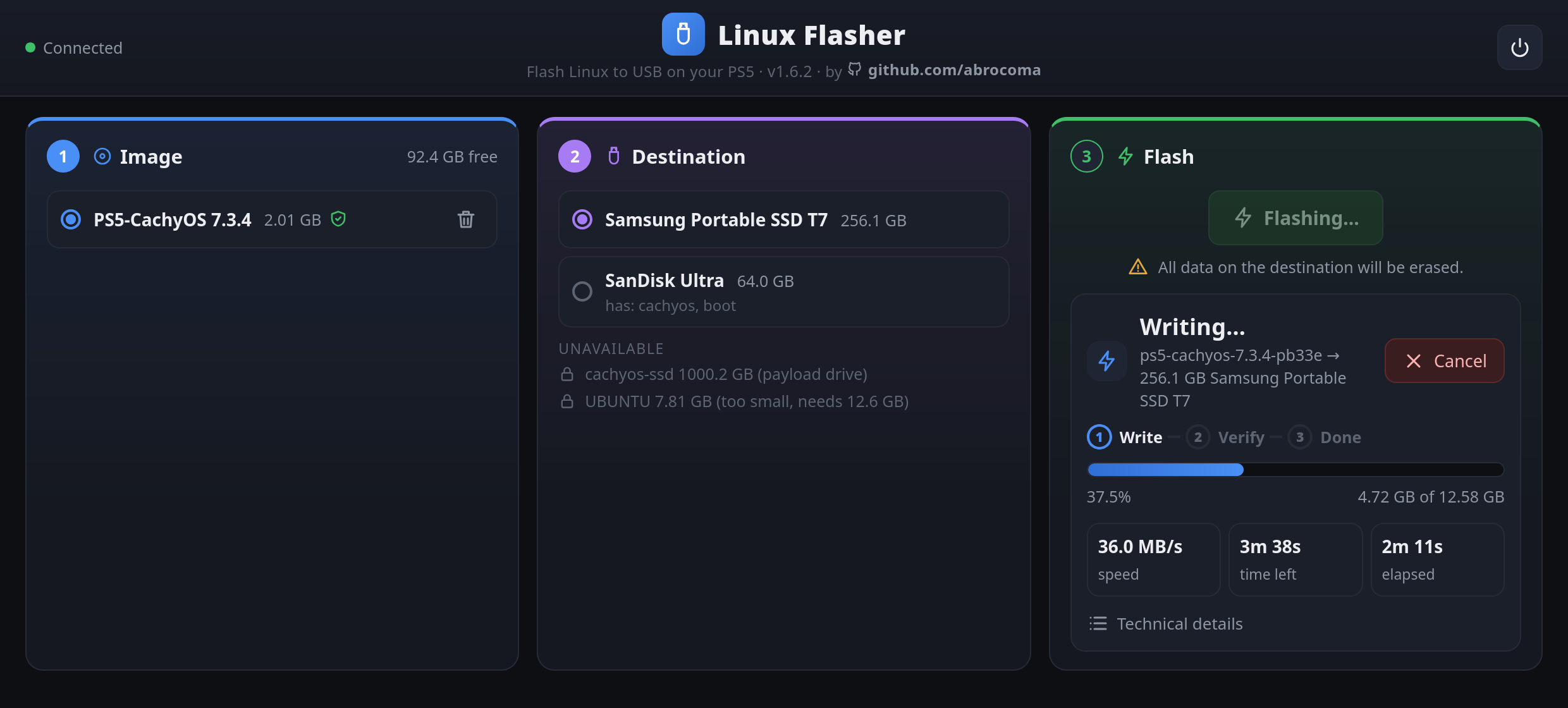
Getting Linux running on a console usually requires a separate PC to format drives and burn images. A new utility changes that workflow entirely. Developer abrocoma released Linux Flasher version 1.6.2, a homebrew payload that lets jailbroken PlayStation 5 consoles download and flash operating system images directly to an external USB drive.
The tool ships with support for PS5-CachyOS, which is tested and stable on firmware 13.60. Instead of swapping storage media between your gaming setup and a desktop machine, you handle the entire preparation process from the couch.
When launched, the payload opens a clean interface inside the console browser or on your phone via notification link. It handles the download with pause and resume support, verifies SHA-256 checksums, and unpacks the image on the fly to save storage space. Once writing finishes, the utility reads the drive back to verify every byte against corruption. Safety checks hide your active payload drive and undersized storage media to prevent accidental data loss.
For a scene that spent years tethered to PCs for basic maintenance tasks, moving the entire Linux deployment chain onto the console hardware is a welcome shift.
How to Use Linux Flasher
- Copy
Linux_Flasher.elfto the root of the USB drive you use to load payloads. - Load the payload on your jailbroken PlayStation 5, which opens the web interface in the browser or on your phone.
- Download the PS5-CachyOS image using the download icon and select it.
- Choose your destination USB drive, keeping in mind that it must be at least 16 GB (64 GB or more is recommended) and will be completely erased.
- Press flash image, wait for the completion message, and boot the newly written drive using your standard Linux loader.
