Pandora's Tower PC v1.1 Adds Screen-Matched Framerates and Better Performance Diagnostics
Pandora's Tower PC v1.1 brings screen-matched framerates, new performance measurement tools, and a themed installer.
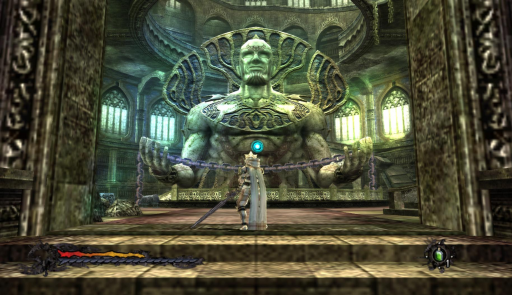
The unofficial native port of Pandora’s Tower (Wii) for Windows and Linux is at version 1.1. The numbering restarted with this release, after earlier builds that reached 1.8. Built via static recompilation using wiikit, the project compiles the game on your PC from a legally owned disc image.
What’s New in v1.1
- Performance diagnostics: The new Measure performance option logs the graphics card’s own time each second in
build/run.err. When you close the game, the summary inbuild/perf-summary.txtsays whether the card or the processor holds it back, and what to change. Movies, loading screens and time with the menu open are left out. - Matched framerates: The launcher and in-game menu mark the frame rates that divide your monitor’s refresh, such as 60 and 90 on a 180 Hz screen. Without G-SYNC or FreeSync, a rate that doesn’t divide it shows some frames for one refresh and others for two, so it looks less smooth.
- Redesigned installer: It follows the launcher’s style, with the steps on a rail on the left (finished steps can be clicked to go back), a picture behind the pages and gothic titles.
How to Try It
- Download the release asset for your OS:
PandorasTower-PC-v1.1-Setup.exefor Windows 10 or 11, orpandoras-tower-pc-v1.1-linux.tar.gzfor Linux (x86-64). - Get the ISO of your own copy of the game (North American
SX3EXJ, EuropeanSX3P01, or JapaneseSX3J01). WBFS and RVZ files convert to ISO in Dolphin: right-click the game, then Convert File → ISO. - Run the installer. On Linux, unpack the archive and run
./install-linux.shin its folder. Point it to your ISO. The install needs an internet connection and about 6 GB free. The build takes about 5 minutes on a current PC, plus 5 to 10 minutes the first time to download the free build tools.
Windows SmartScreen may warn about the unsigned installer. Click More info, then Run anyway. The port needs OpenGL 4.5, so macOS is not supported.
Updating: run the new installer and choose the same folder. Saves, options and texture packs are kept.
Sources: github.com