Neitey's OpenXWA VR 1.1.2 Adds Local Wi-Fi Multiplayer
Star Wars: X-Wing Alliance VR port adds smooth local Wi-Fi multiplayer, server browser updates, and a crash fix.
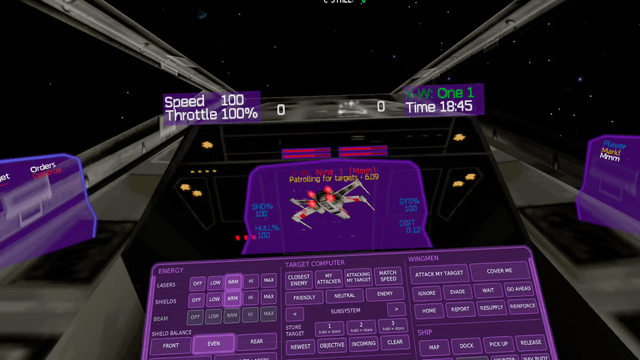
Neitey’s OpenXWA-Quest 1.1.2 brings smooth local Wi-Fi multiplayer to standalone Meta Quest headsets and Steam Frame, so Quest and Steam Frame pilots can fly together without freezes.
This update fixes the freezes that hit every few seconds and the guest running a second ahead. Joining a match no longer hangs at launch, and typing the host address no longer freezes the screen. The server browser now finds local network games more reliably and lists each one once.
Other changes include lighter default settings on Quest 2 for a steadier frame rate, color-coded tactical map blips (green for Rebels, red for Imperials, orange for missiles), and a two-step confirmation for leaving a match: the menu button ends your flight, then a second press leaves the game.
How to Try It
Each headset needs Developer Mode switched on, and the USB-C cable must carry data, not just charge.
- Ensure all participating headsets run version 1.1.1 or newer. Older versions cannot join.
- Download the latest zip from the OpenXWA-Quest releases page on a Windows PC.
- Connect your headset with a USB-C cable and run
OpenXWA-VR-Launcher.exe. The launcher finds your installed X-Wing Alliance and copies its game files. - In the headset, open Library, then Unknown sources, and start Neitey’s XW: Alliance VR.