openNG2 1.0.2 brings Ninja Gaiden II to Windows from your own copy
openNG2 1.0.2 is a native Windows build of Ninja Gaiden II, made from your own Xbox 360 disc copy. This release fixes button prompts.
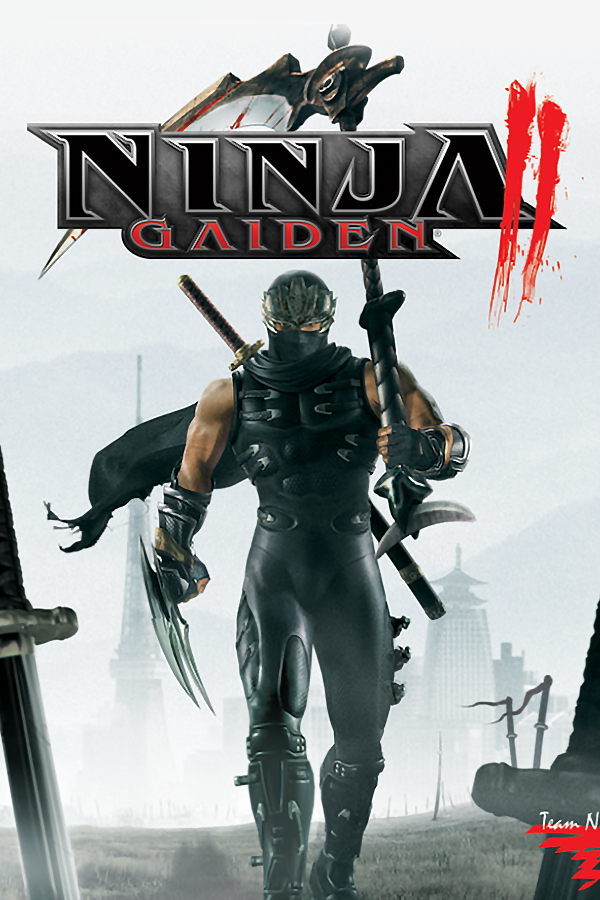
openNG2 1.0.2 is out. It is a native Windows version of Ninja Gaiden II, the 2008 action game Team Ninja made for Xbox 360. The download has no game files in it, so you build the game from a copy you already own.
The game code is recompiled to run directly on PC, using the ReXGlue SDK that the project is built on. According to the README, the runtime and GPU code come from Xenia, the Xbox 360 emulator. On top of that, openNG2 adds PC features: any resolution, ultrawide with the HUD pinned to the edges, internal resolution from 1x to 5x, FSR 1.0 upscaling, 120 FPS frame generation, and full keyboard and mouse rebinding.
This release fixes one bug. Button prompts showed keyboard and mouse keys unless you were holding a controller button. Now they switch to the keyboard only when you press a key or move the mouse.
To try it:
- Download
openNG2-1.0.2.zip, extract it, and runopenNG2.exe. - Add your Game (Games on Demand package
C1200E9B558D04454FA6with its.datafolder, a.iso, or an extracted folder) and Title Update #2 (TU_1A461UL_000000G000000.00000000000G4). The DLC folder is optional. - Click Build. The first build downloads a compiler of about 2 GB and takes a while. Then click Play.
You need 64-bit Windows 10 or 11, a Direct3D 12 graphics card, about 22 GB free on the install drive, and an internet connection for that first build.
Game logic runs at 60 FPS, and anything above that comes from frame generation. If your GPU cannot hold 60 FPS at 5x resolution, the game slows down, the same as on the console. So far only the early chapters and Mission Mode have been tested. Menus do not work with the mouse yet, and the Show Karma key has no keyboard binding. Only the original disc release with Title Update #2 is supported.
If you are on 1.0.1, the launcher offers the update. If you are on 1.0, extract 1.0.2 over the old folder and click Update the game under Installed. Do not put openNG2 in Program Files because Windows blocks it from writing there, preventing it from updating itself.
The 1.1 plan adds a native PC renderer with no GPU emulation, aimed at weaker PCs. For now this is a Windows build for people who own the disc.
