MOTHER 3 Recomp 1.0.7 adds a launcher, 16:9 widescreen and mods
MOTHER 3 Recomp v1.0.7 adds its own launcher, true 16:9 widescreen, controller-aware button prompts, mods and a rebuilt Android build.
GBA → PC (Windows), Linux / Steam Deck, Android · Recompilation
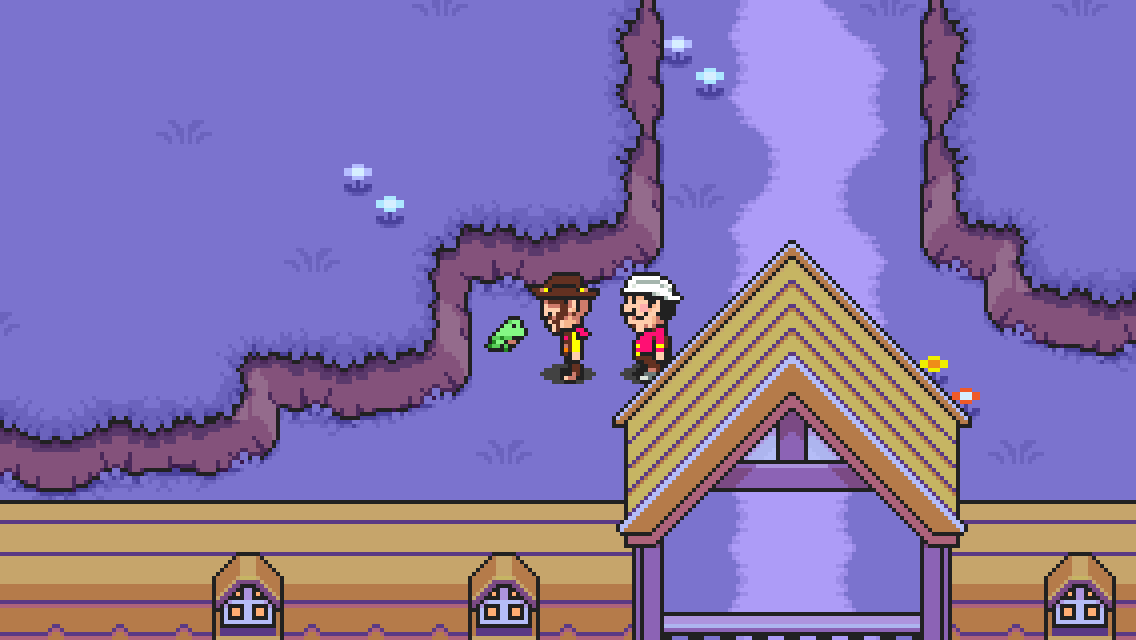
MOTHER 3 Recomp v1.0.7 is out for Windows, Linux and Android, and the release calls it the biggest update yet. The project is a static recompilation of MOTHER 3, a Game Boy Advance game, packaged as a native port. You still bring your own ROM and BIOS. No game files ship with it.
The headline addition is a launcher drawn in the game’s own style. The party walks through the crossroads outside Tazmily, and everything on screen comes from your ROM. First launch asks for the BIOS and ROM through your system’s file picker. You can pick the English v1.3 ROM, or a Japanese ROM plus a translation patch that the launcher applies for you. The Japanese ROM also runs untranslated, and then the launcher gets skipped.
Widescreen is now true 16:9. Towns, fields and rooms draw the real map into the sides instead of stretching the picture. Battle backgrounds continue their pattern, and cutscene letterbox bars reach the edges. Menus stay 4:3.
Button prompts follow the controller you use. Game text like “press the A Button” shows Xbox, PlayStation or Nintendo labels, or your keyboard key, and switches when you change controller. Controls are rebindable, and the left stick always moves the party.
Mods load from .ips, .bps and .ups patches. Drop them into the mods folder and tick them in the launcher.
On Windows and Linux, a 120 fps smooth option draws an in-between frame between each pair of game frames. It needs a 120 Hz or faster screen. On a 60 Hz screen it does nothing. If your 120 Hz screen still gets 60 fps, the notes say to pick “120 (always)”.
Android is rebuilt from the same source as the desktop versions. The APK includes x86_64, so BlueStacks and Chromebooks run it natively. Choppy sound on devices that refuse low-latency audio is fixed. Installing over v1.0.6 keeps your saves.
How to try it:
- Download the package for your platform from the release page.
- Launch the game and point it at your BIOS and ROM.
- Choose Play.
Back up your saves before updating.
Limits: the launcher opens for English v1.3 and translations built on it, such as Spanish. The known limits list in the release notes cuts off mid-sentence, so whatever came after that is unclear. The README says compatibility and speed vary by patch, and device-specific performance reports are still being looked into.
Android users get the widescreen, in-game button and mod options in the setup screen.