Moon Dancer v0.9.1b brings Android support and fixes NVRAM saves
Moon Dancer v0.9.1b adds an Android build with touch and gamepad support, and fixes an NVRAM bug that wiped saved data on launch.
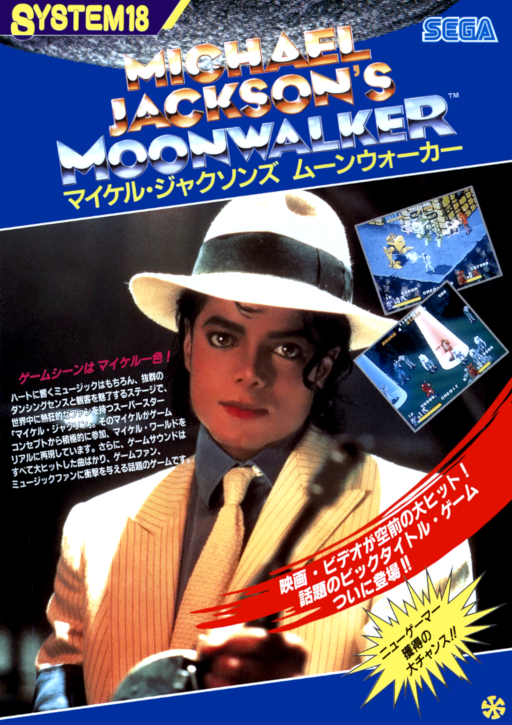
Moon Dancer v0.9.1b is out as a public beta prerelease, adding Android support and fixing a bug that kept saved NVRAM from loading across all platforms. The project is a native runtime for the 1990 Sega System 18 arcade game Michael Jackson’s Moonwalker, using static C translation for its FD1094-encrypted 68000 code alongside C/C++ hardware models (with the 315-5313 VDP renderer still a work in progress).
Android now gets the full launcher and game in a single app, matching the desktop build’s settings, cheats, and controller panels. Touch controls use icon buttons for punch, jump, magic, coin insert, and 1P start, with a choice between a D-pad and a floating joystick in settings. You can hide the touch overlay and still return via a corner MENU button or the Android Back key.
On Android, you can import your mwalk.zip ROM set through the system file picker or bake it into a personal APK using package_android_private.ps1 (do not publish that APK). Controller and touch navigation work across the launcher, in-game panels, volume and scanline sliders, and the non-Windows archive browser. The README notes -O3 native builds hit the native 57.23 Hz rate with roughly 70% frame headroom on a Retroid Pocket 6.
Across every supported platform, v0.9.1b fixes NVRAM loading. Earlier builds restored saved data before the CPU reset cleared work RAM, so launches started fresh. Credits and bookkeeping now persist across restarts and force-stops, though high scores still reset on their own just like in MAME.
How to build and run on desktop
- Supply your own
mwalk.ziparcade ROM set; the repository includes no game files. - Configure and build with CMake (
cmake -S . -B build -G Ninja -DCMAKE_C_COMPILER=gcc -DCMAKE_CXX_COMPILER=g++ -DCMAKE_BUILD_TYPE=Releasethencmake --build build, dropping the-G Ninjaand compiler flags on Linux or macOS). - Launch
mwalk_launcher(ormwalk_launcher.exe), selectmwalk.zip, and start the game. - Press
5to insert a coin and1to start in game.