Might and Magic IX gets a native build for Apple Silicon Macs, written with AI
A bring-your-own-game static recompilation of the 2002 Windows game for Apple Silicon Macs, v1.0, with an installer 1.3 update.
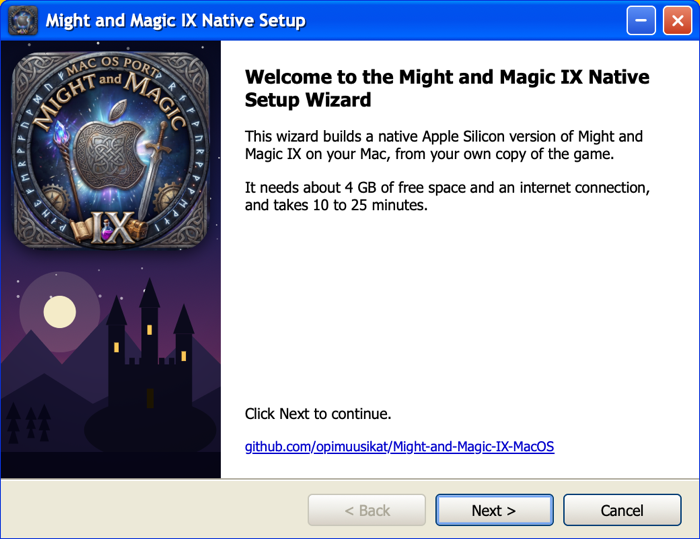
Might and Magic IX now has a native build for Apple Silicon Macs. It runs with no Wine and no Rosetta. The project is called Might-and-Magic-IX-MacOS, and v1.0 is the latest version. You need your own GOG copy of the 2002 Windows game, version 1.3. The repository ships no game files.
The method is static recompilation. The author translated the game’s machine code into C that compiles for arm64, using Ghidra to work through the binary. The game runs on the LithTech engine, and the native host replaces its Windows layer. DirectDraw 7 and Direct3D 7 go to Metal, the Miles Sound System goes to CoreAudio, DirectInput comes through Cocoa, and Bink movies play through ffmpeg.
The scene has seen this method before. N64Recomp and Zelda64Recomp did it for Nintendo 64 games, and hedge-dev’s UnleashedRecomp and XenonRecomp did it for Xbox 360 titles.
The 1.3 installer, released October 18, fixes a batch of bugs. Cancel now stops the whole build. If replacing the app fails, your previous copy is restored. The updater no longer starts a full rebuild just because ffmpeg is installed and everything is up to date. The installer also stops getting stuck after Cancel.
The README says the code, the docs and the logo were all written by Claude through Claude Code, with a person directing the work and testing the game. The author calls it an experiment and warns about rough edges. My take: the AI part is the story here, and I’d want to see how the Direct3D 7 path holds up on more Macs before I trust it with a save file.
How to try it:
- Buy Might and Magic IX on GOG and download the Windows offline installer, version 1.3. Keep all its files together in one folder.
- Download MM9-Native-Installer.dmg from the Releases page and drag the app into Applications.
- Check that your Mac has an Apple chip, macOS 13 or newer, and about 4 GB free.
- On macOS 15 (Sequoia) or newer, the first open gets blocked because the app is not signed. Click Done, then allow it under System Settings, Privacy & Security.
The installer builds the app on your Mac, and the result stays there. The project is for research and education, and the author asks people not to share game files or the built app.