Midnight Club L.A. PC recomp v1.0.2 adds a car vinyls toggle
The community PC port of Midnight Club: Los Angeles hits v1.0.2 with a car vinyls option and an update that keeps your saves.
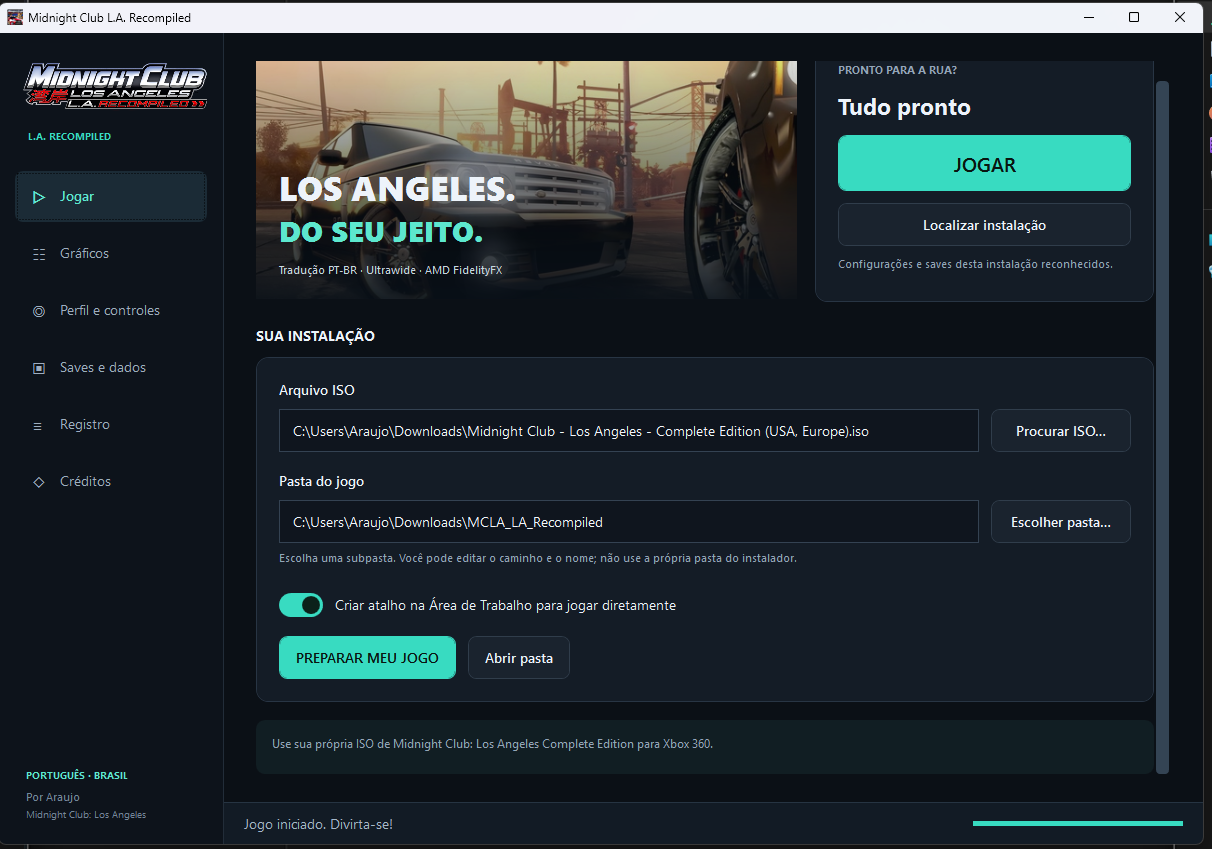
Midnight Club L.A. Recompiled v1.0.2 is out, and it adds a CAR VINYLS switch to the DISPLAY tab of the options menu. The project is a community PC version of Midnight Club: Los Angeles Complete Edition, the Xbox 360 racer. It runs on a static recompilation, which means the Xbox 360 code is translated ahead of time into a native Windows build. The base is the ReXGlue runtime, and the project carries forward work from holdmysocks and RenanQueiroz.
Car vinyls are the decals on the cars. The option is ON by default, and the decals show up outside the garage. Switch it to OFF (FASTER) and the game skips an extra GPU read. You get more speed, but the decals disappear. The setting changes during a match and gets saved.
If you already run v1.0.0 or v1.0.1, you don’t need the ISO again, and your saves and settings stay put. Updating works like this:
- Download Midnight-Club-LA-Recompiled-Windows-x64.zip and extract it.
- Close the game and open Midnight Club L.A. Recompiled.exe.
- Under Localizar instalação (locate install), pick your install folder and click Atualizar para a v1.0.2.
Keep about 2 GB free. The Portuguese translation gets patched in a temporary copy, and that copy only replaces the original after it passes a check. A fresh install asks for your ISO and a subfolder. Keep the ISO outside the target folder.
The release ships without the ISO, game data or saves. Portuguese (PT-BR) is on by default, and you can untick it for English. The AI upscaler FSR 4.1.2 and AMD’s AI Frame Generation only work on DirectX 12 with a compatible AMD GPU. Vulkan gets FSR 3.1 only, and the notes say Frame Generation does nothing in that mode. NVIDIA DLSS is not implemented. The project says it has no affiliation with Rockstar Games or AMD.
