Magical Pop'n Recomp v0.9.2 brings native widescreen to Windows
Static recompilation project MagicalPopnRecomp v0.9.2 adds native 16:9 widescreen for Windows and runs the final boss in 16:9.
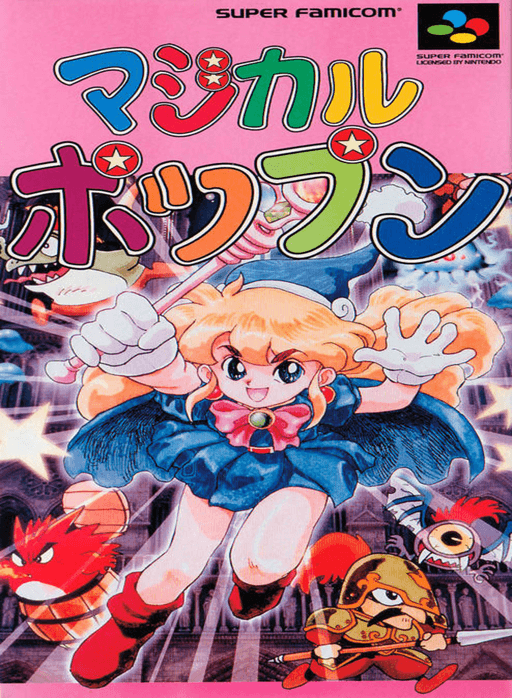
The static recompilation project MagicalPopnRecomp released version 0.9.2 of its native Windows port of the SNES action platformer Magical Pop’n (Pack-In-Video / Polestar, 1995). The main change is a 16:9 widescreen mode, which is still under active testing and runs alongside the classic 4:3 view.
Version 0.9.2 runs the final boss and the tall rooms that used to stay in 4:3 in native 16:9. Doors stay drawn in the side columns once they have been on screen, and a frame that can’t be matched no longer flashes the sides of the screen. Tall stacked sprites, such as flame pillars and bosses, now move as one piece during motion smoothing. 16:9 may still show a few visual glitches, so 4:3 is the better experience for now. The developers say 16:9 is almost perfect.
The tool translates the original 65816 assembly code into C ahead of time and compiles it into a native Windows executable. You need your own ROM, since the repository contains no game code or game data. Drag the ROM (.sfc, .smc, or .zip) onto Builder.exe, and the pipeline handles the rest with a built-in llvm-mingw toolchain, without Visual Studio or Python.
How to try it
- Download
MagicalPopn-Builder.zipfrom the latest release. - Extract the archive anywhere on a 64-bit Windows 10 or 11 PC.
- Drag your Magical Pop’n ROM onto
Builder.exeor the builder window. - Wait about a minute for the build to finish, then press Play.