Jet Force Gemini PC port v1.1.4 adds FOV slider, fixes 60 fps bug
Jet Force Gemini (Recompiled) v1.1.4 adds a FOV slider, vignette and fog options, and fixes a bug that made 60 fps look like 30. Windows and Linux.
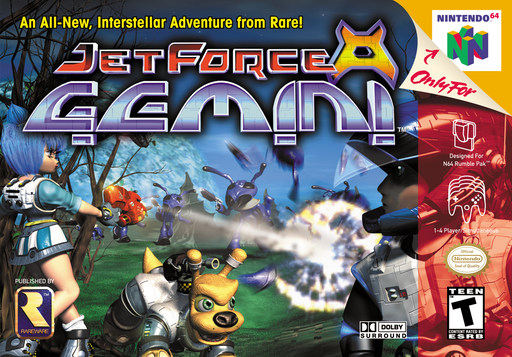
Jet Force Gemini (Recompiled), a PC port of the Nintendo 64 game Jet Force Gemini, got version 1.1.4 on 16 October. It runs on Windows and Linux. The port is a static recompilation: the N64Recomp tool translates the game’s code from your own ROM and compiles it for your PC. No emulator is involved.
The release is mostly polish. The developer, who goes by VibinToast on GitHub, adds a Field of View slider for gameplay, a vignette option, level fog distance settings and texture and picture filtering options. Built-in profiles now run at 60 fps. The main fix: 60 fps sometimes ran at 30-45 fps and looked like 30. The launcher also gets the project logo. The feed item still shows v1.1.2, but the v1.1.4 release notes are dated 16 October, so 1.1.4 is the newer one.
The README already listed 60 FPS, HD texture packs, widescreen, mouse and keyboard controls, and a weapons editor. The author says the port is “mostly everything I wanted, just quality of life stuff now.” The same file also says the project was built with heavy help from AI (Claude), under the direction of the project owner. The disclosure is cut off in the source, so it is unclear whether an independent code review happened.
To try it, you need your own US ROM with SHA-1 493ced9008dbe932d6e91179b68e8630cf23a023, saved as baserom.us.z64 in the project folder. On Windows (10 or 11, Direct3D 12 GPU):
- Install Visual Studio 2022 with C++ and C++ Clang tools, plus Git and Python 3.
- Run
build_windows.bat. The first build takes 10-40 minutes and about 15 GB. - Run
run_windows.bat.
Keep the bin folder private, because it holds a copy of the ROM.
My take: the FOV slider is nice, but the AI line matters more. The README does not say how much code the model wrote or who checked it. Anyone who runs a build from a stranger should ask that first.