Geometry Wars: Galaxies runs natively on Windows in v0.4
The Wii disc recomp of Geometry Wars: Galaxies drops its Python setup step. Put your own disc image next to the exe and run it.
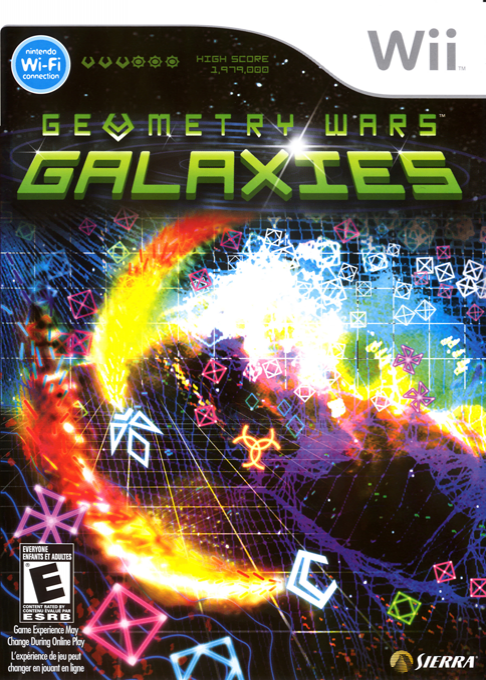
Geometry Wars: Galaxies, the Wii twin-stick shooter, now runs natively on Windows through a static recompilation. Version v0.4 came out on October 30, and its main change is simple: you no longer run a Python script to prepare the game. You put your disc image next to the exe and start it.
Static recompilation means the game’s PowerPC code is translated to C++ ahead of time and built into a native program. A small runtime stands in for the Wii hardware, the IOS system software and the DSP. Nothing emulates the Wii’s processor while you play. The same recompiler and runtime are also used for the ReBirth ports and Chocobo’s Dungeon.
The build supports the NTSC-U disc only (RGLE7D). No game files come with it, so you need your own copy as a .iso or .ciso. The release notes say the zip gets attached a few minutes after publishing. v0.3 sped up vertex handling, removed clicks from the audio, and added a log file next to the exe.
According to the README, the game gets through the strap, license and title screens, profile creation, the galaxy map, levels and results. The first start takes about 35 seconds before the save is created. Online leaderboards, DS download play and Wii Remote pointer aiming are not supported. The nunchuk layout has no pointer, so aiming is more limited there.
How to try it:
- Download
GeometryWarsGalaxies-v0.4-win64.zipand unzip it. - Put your
.isoor.cisoin the same folder. - Run
geowars.exe. On the first start, the game builds itsgamefolder from your disc image.
The default is the Classic Controller layout, which works as a twin-stick setup on a gamepad. On keyboard, the arrows move and I/J/K/L fire. F1 or Esc opens settings, F11 toggles fullscreen, and holding Tab fast-forwards. Saves go into a nand folder next to game. If no frame appears for 8 seconds, the game writes geowars_hang.txt.
The part I’d watch is the disc step. Dropping the Python script means less setup, but the game itself now does the decryption and unpacking on your machine. Online leaderboards and DS download play are still missing.