DK94 Recomp 1.0.1 adds icons and a Linux menu installer
DK94 Recomp 1.0.1 for Windows and Linux adds project icons and a Linux app-menu installer. You still supply your own Donkey Kong ROM.
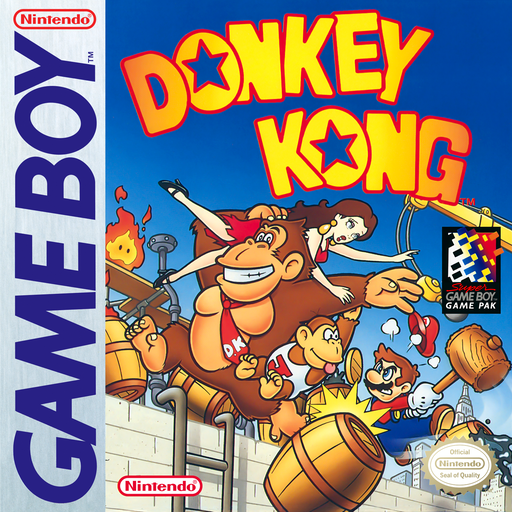
DK94 Recomp 1.0.1 is out for Windows and Linux. It’s an unofficial static recompilation of Donkey Kong (Game Boy, 1994). The project translates the Game Boy’s machine code into C and runs it natively on SDL2. The release adds a new icon for the window and the Windows .exe, and on Linux an icon plus an installer for the application menu.
The recomp adds Super Game Boy colours, the SGB border, SNES sound, widescreen views, a launcher and controller support. The release contains no game code or data, so you bring your own ROM. Press PLAY and the program recompiles your ROM to C, then compiles that in memory with TinyCC in about 0.3 seconds. Nothing derived from the game gets written to disk.
What you need:
- A dump of
Donkey Kong (World) (Rev 1) (SGB Enhanced).gbfrom your own cartridge. The CRC32 should beF777A5D8. - Optional: a Super Game Boy BIOS (
.sfc). Without it, the SNES-side sounds stay silent and everything else works.
Then pick your platform:
- Windows (x64): unzip
DK94-Recomp-1.0.1-windows-x64.zipand rundk94.exe. - Linux (x86-64): extract
DK94-Recomp-1.0.1-linux-x86_64.tar.gzand run./dk94. You need SDL2 from your distribution (e.g.libsdl2-2.0-0) and glibc 2.34 or newer../install-desktop-entry.shadds it to the application menu.
Put the ROM next to the program or choose it in the launcher. PLAY stays disabled until the ROM matches. Checksums are in SHA256SUMS-1.0.1.txt.
Limits: x86-64 only. The developer build links game code in, so don’t share it. The release packages use the player build. DK94 Recomp is MIT-licensed, and TinyCC (LGPL-2.1) ships as an unmodified shared library. The project is not affiliated with, endorsed by or sponsored by Nintendo.