Digimon Rumble Arena 2 Gets a Native PC Static Recompilation Release
Version 1.0.0 of digimonra2-recomp, a static recompilation port of the GameCube game Digimon Rumble Arena 2, runs natively at 60 FPS on Windows and Linux, with resolution scaling up to 4K and a custom launcher.
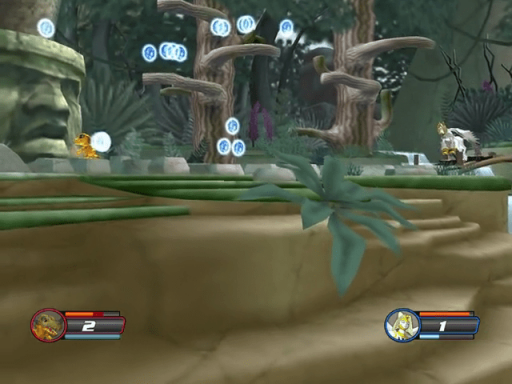
Developer Gabriel Medeiros released version 1.0.0 of digimonra2-recomp today, a native PC port of the GameCube arena fighter Digimon Rumble Arena 2. The release translates the original PowerPC Gekko machine code directly into native C/C++, with no traditional CPU emulation layer.
Running on Windows 64-bit and Linux x86_64, the project decouples the GX graphics pipeline into an asynchronous dedicated rendering thread to eliminate micro-stutters and input latency while locking execution at 60 FPS. The build uses an OpenGL 3.3 backend, and the GPU must support it. The release lists 2 GB of RAM as the minimum. The port reads raw disc dumps directly, supporting .iso, .ciso, .rvz, .gcm, and .nkit.iso formats with on-the-fly decompression.
Players also get an integrated graphical launcher with real-time bilingual switching between English and Portuguese, geometry-based internal resolution scaling up to 4K Ultra HD, and true 16:9 widescreen via a horizontal FOV expansion that preserves the original 1:1 HUD aspect ratio. Controls work out of the box with XInput and DirectInput gamepads for up to four players. Saves go to an isolated memory card system, and a dynamic unlock toggle exposes secret fighters and arenas without altering original save files.
To try it out:
- Download the release package for your OS (
DigimonRA2_PC.zipfor Windows orDigimonRA2_PC_Linux_x64.tar.gzfor Linux) from the GitHub repository. - Extract the archive to a folder with write permissions.
- Windows users need the Microsoft Visual C++ Redistributable x64 installed.
- Run
DigimonRA2.exeon Windows, or execute./DigimonRA2on Linux. - Open the Play tab, browse for your original American GameCube dump (
GD6E01), and launch the game.
