DDHM-Recomp v1.0.0 Brings Dangerous Dave to Windows
DDHM-Recomp v1.0.0 rebuilds the 1991 DOS game Dangerous Dave in the Haunted Mansion in C++20 for Windows 10 and 11.
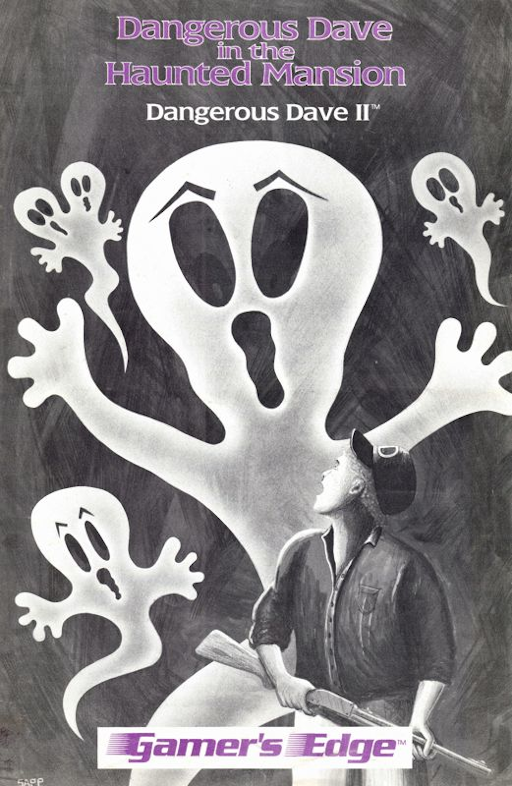
DDHM-Recomp v1.0.0 is out, rebuilding the 1991 MS-DOS game Dangerous Dave in the Haunted Mansion in C++20 for Windows 10 and 11. The project reverse-engineered the original 16-bit code and uses SDL3 to run natively on Windows without DOSBox.
The release covers the full game, including all eight levels, every enemy, Frank and the Master, doors, secrets, scoring, extra lives, the ending, and high scores. Menus, F1 help, F3 key setup, the Tab status window, continue from level, and original developer debug keys like god mode and level warp are also in.
Timing matches the DOS original, with a 70 Hz frame rate, a 140 Hz game timer, and EGA palette fades. All 24 PC-speaker sound effects play from your game data with original priorities, plus an optional softer sound toggle. You can switch between 4:3 and square pixels, play in a resizable window or full screen, and use keyboard or gamepad controls.
How to try it
The download includes no copyrighted game files. You need your own copy of the Softdisk MS-DOS release, version 1.12, with DAVE.EXE (84,222 bytes) and its .DD2 files.
- Download
ddhm-...-windows-x64.zipfrom the releases page and extract it to a folder. - Put your version 1.12 MS-DOS game files inside the
Gamefolder (DAVE.EXE,EGATILES.DD2,LEVEL01.DD2, and the rest). - Run
DDHM Launcher.exeand click Play so the launcher extracts assets into anAssetsfolder on first launch.
Your files in Game are read-only and never modified, and you can extract assets again if you swap game files. Because the build is not code-signed, Windows may show a protection warning; choose More info and Run anyway.

