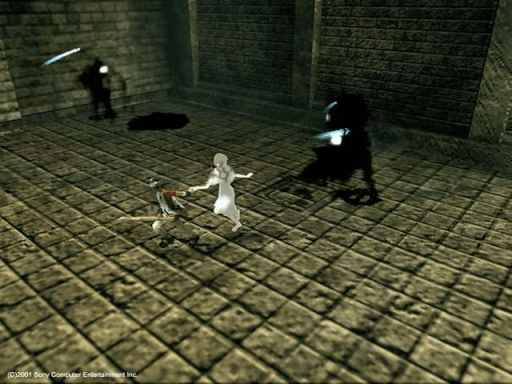
Cold Nuclear Winter v0.2.0 brings PS2 shooter Cold Winter to Windows via static recompilation
Cold Nuclear Winter v0.2.0 updates the static recompilation of PS2 first-person shooter Cold Winter for Windows, fixing ragdoll physics and adding an updater.
Cold Nuclear Winter, a native Windows port of the 2005 PlayStation 2 first-person shooter Cold Winter built through static recompilation, reached version 0.2.0 on November 24, 2026. Developer mohdrahk builds the project on top of PS2Recomp (a PlayStation 2 static recompiler) and distributes the release without game assets or compiled code, requiring players to supply their own USA disc image (SLUS-20845).
Cold Nuclear Winter distributes the toolchain inside the release package so the game builds locally on the user’s machine. When you launch coldwinter.exe for the first time, the host application verifies your disc, compiles the game executable into native x64 code on your own machine over a few minutes, and boots the game. Subsequent launches start in a few seconds.
Version 0.2.0 fixes two gameplay bugs from the initial release and updates the setup process:
- Ragdoll physics: Shot soldiers no longer clip through floors or fly apart, as the game’s physics now runs on the engine’s plain C solver.
- Texture ordering: The alley floor in the Cairo level (
CAR3) no longer flashes magenta noise, because texture uploads now reach the GPU in the order the game submits them. - First-start reliability: The initial build process works on Windows installs lacking the Visual C++ Redistributable, displays a progress indicator, and recovers automatically if interrupted.
- Command-line updater: Running
coldwinter.exe --update-checkqueries the GitHub repository for newer builds, whilecoldwinter.exe --update-apply --update-restartinstalls updates verified against unsignedSHA256SUMSwithout touching your saves,coldwinter.tomlconfig, orassetsfolder.
To try the port, you need Windows 10 or later, a Vulkan-capable GPU, and roughly 1.5 GB of free space in %TEMP% for the first compile:
- Download and extract
ColdWinter.zipfrom the Cold Nuclear Winter GitHub repository into a writable directory. - Place
Cold Winter (USA).isoor the extracted disc files inside theassetsfolder. - Run
coldwinter.exe, wait for the one-time compilation to finish, and useF10in-game to open the settings overlay.
The port remains early in development. Speech plays through a built-in player, while the original sound engine is incomplete and drops some music and sound effects. Only the USA release is accepted, online multiplayer is absent, and there is no native Linux build yet.