Baroque on Windows: v0.1.4 makes dungeon upscaling work
Baroque-SaturnRecomp v0.1.4 makes upscaling and filtering work in the dungeon, but higher resolutions now cost real GPU time.
Saturn → PC (Windows) · Port
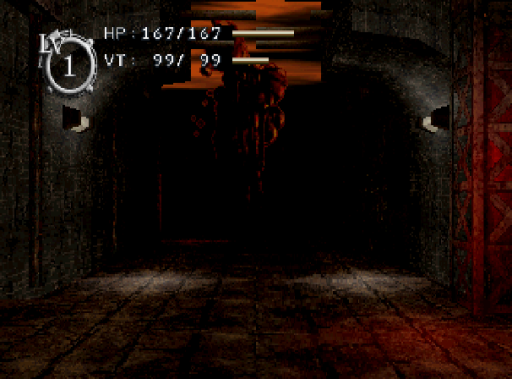
Sting’s Baroque (Sega Saturn, 1998) runs natively on Windows through SaturnRecomp, an experimental clean-room Saturn runtime, and the Baroque-SaturnRecomp kit. Version 0.1.4, out November 4, fixes a long-standing gap. Upscaling, texture filtering and FXAA used to change only the BIOS logo and menus. The dungeon stayed at the Saturn’s native 352 x 224.
The fix is a patch that counts a full-screen black polygon as a screen clear. Baroque clears the dungeon that way, not with the VDP1 erase command the renderer was waiting for.
The catch is that higher resolutions now cost real GPU time during play. On a 15 W Intel Iris Xe laptop, late frames in the dungeon went from 0.4-0.7% at 3x to 15.5% at 4x and 29% at 5x. If you set a high scale before, expect stutter. Lower it under F1 > Graphics > Internal resolution. The author recommends 3x for integrated graphics and 6x or more for a dedicated card.
Updating is simple. The first launch rebuilds the runtime with the fix, which takes a few minutes and reuses the build tools you already have. Saves, cheats and settings stay as they are.
You still need your own disc (Baroque, product T-33901G, as a CUE/BIN image) and a 512 KB Saturn BIOS. Add Windows 10 or 11 with a Vulkan GPU and about 1.5 GB free. The setup also downloads MSYS2, about 1 GB.