Autorun Brings Windows PC Games to the Nintendo Switch via Wine and Box64
A new homebrew app lets you run 32-bit Windows games on a hacked Nintendo Switch using Wine and Box64.
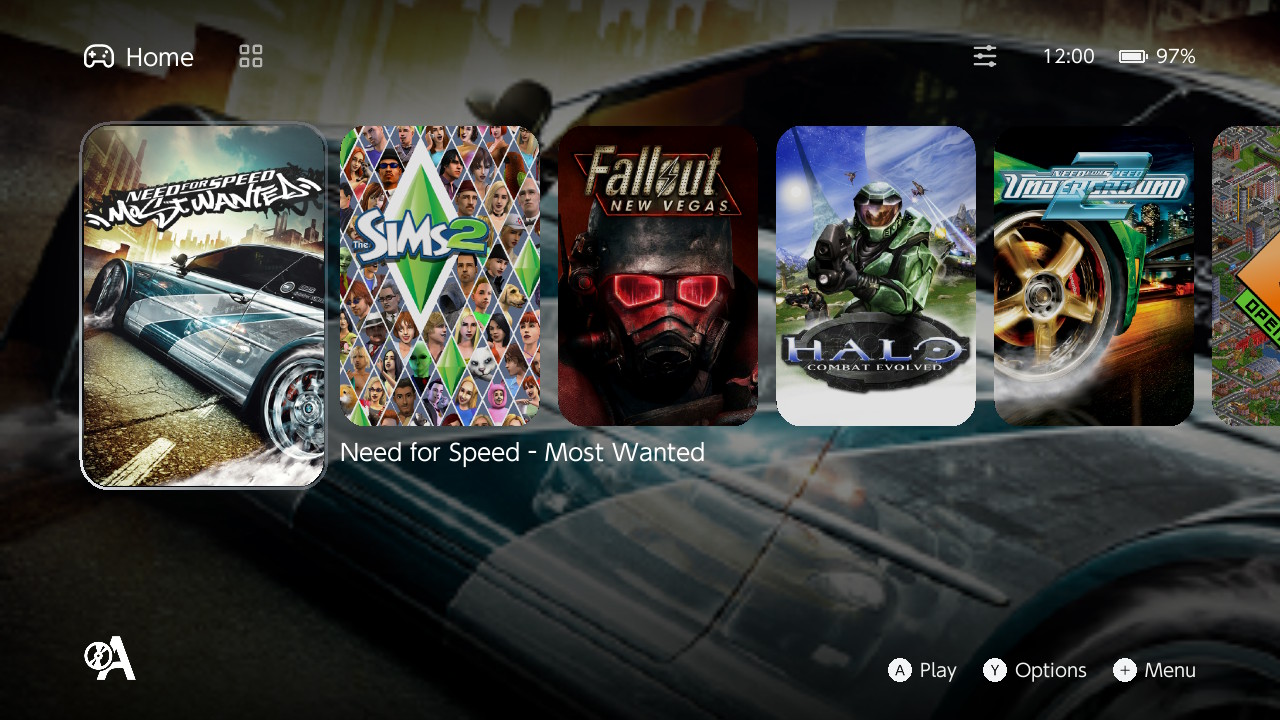
If you ever wanted to run PC titles natively on Nintendo’s handheld, a new homebrew app called Autorun makes it possible. Released in September 2026 by developer forgotten-865 on GBAtemp, the tool brings Wine directly to the Switch operating system and uses Box64 to translate x86 PC code to the console’s ARM processor.
For anyone with a modified console running Atmosphere, this opens up a massive library of older computer software. It does not emulate hardware like traditional emulators; instead, it provides a compatibility layer mapping everything straight to the Switch environment.
Right now, Autorun focuses on 32-bit Windows games, which covers most PC releases up to the early 2010s. Pure 64-bit applications do not work yet, and the project is experimental. Some games run great, while others crash early in the boot sequence.
Here is how to set it up:
- Download the Autorun package and unzip it to the root of your microSD card so everything lands in
switch/wine. - Copy your installed PC game folders into
switch/wine/drive_con the card, which acts as the C: drive. - Launch Autorun from the Homebrew Menu, press
+to add a game, select the executable, and pressAto play.
Performance varies wildly. Titles like Halo: Combat Evolved and Quake III Arena hit playable frame rates, while heavier titles like Left 4 Dead 2 and Fallout: New Vegas boot into the game but still need optimization. It is an exciting milestone for handheld homebrew tinkerers who love pushing portable hardware past its intended limits.