Wind Waker HD Plus v1.13 cuts the first-start wait by about half
Wind Waker HD Plus v1.13 nearly halves the first-start setup on Android, adds Cemu content packs and save states from anywhere.
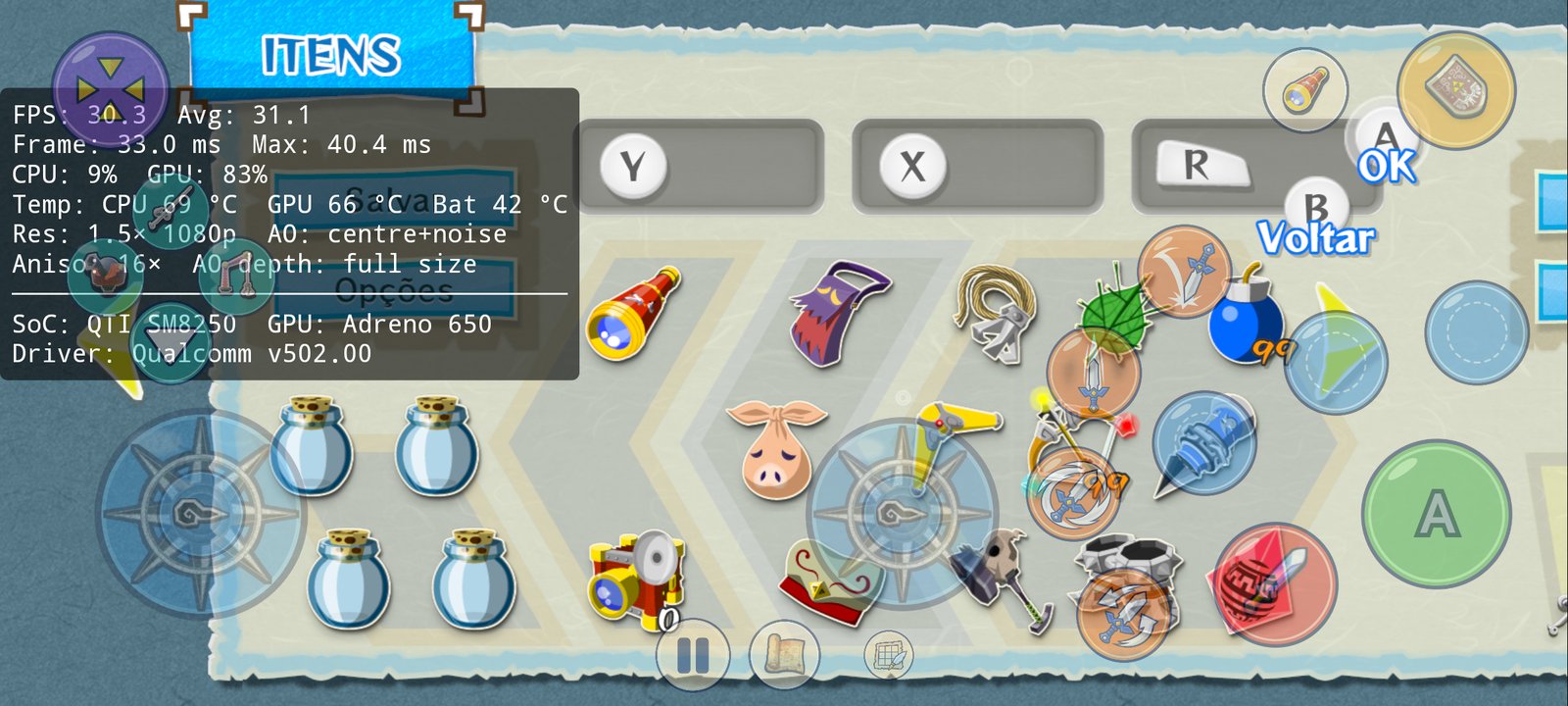
Version 1.13 of Wind Waker HD Plus, the Android port of The Legend of Zelda: The Wind Waker HD, cuts the first-start wait roughly in half. On a Galaxy S20 FE the game code now prepares in 4.6 minutes instead of about 10. The app is a static recompilation: it turns the Wii U game’s PowerPC code into native ARM64 code on your phone and draws the graphics with Vulkan.
The speedup comes from splitting the work. The functions a playthrough reaches (25 places, from dungeons and boss rooms to the islands) still get full optimization. The roughly 21,000 others, which most players never touch, compile fast. The release notes say the game runs at the same speed as before in Outset, Windfall, the Forbidden Woods and Dragon Roost Cavern. Phones with enough free memory now compile on four cores instead of three. The wait comes back after any update that changes the game code.
Other changes: Mods → Content packs loads Cemu graphic packs (a Linkle model, textures, texts) from a folder or from WindWakerHD Plus/Mods, and each pack switches on and off. Cemu code patches don’t work here. Save states can now load from the title screen or the file select. The app goes into the game by itself and loads the state as soon as it can. PowerVR GPUs (Pixel 10 Pro and others) get a geometry fix, and Huawei Kirin (Maleoon) gets CPU-side texture decoding. The 60 fps frame generation still misbehaves on some hardware: it froze an Adreno 650 in another port, and it shows garbage and flicker on Mali-G52.
A save state from an Auto slot written by v1.11 can crash a few seconds after loading. That state can’t be repaired. Autosaves and states from v1.12 and later load fine.
To update:
- From v1.7 to v1.11.1, install v1.13 directly over the old build.
- From v1.12 or v1.10, turn on Saves → Saves outside the app (or Export saves), uninstall, then install v1.13. Your saves, save states and settings come back on their own, but you have to extract the game files again.
The first start after installing prepares the game code again, about 4 to 5 minutes on a Snapdragon 865.
On an Adreno 650 (Galaxy S20 / S20 FE), use the phone’s own Qualcomm driver (Graphics → GPU driver → system). It was the fastest in the authors’ tests, at 12 to 14 ms per frame in Outset against 17 to 22 ms with Turnip. Avoid adreno676.53, plain Turnip 24.1 R18 on Adreno 6xx, and Turnip 26.0 R8. If the phone restarts on a new driver, the next start goes back to the system one.
You need Android 11 or newer, arm64, Vulkan 1.1, about 2 GB of free storage and 2 GB of RAM for setup, plus your own Wii U dump (.wud / .wux with keys, or a .wua). The app ships no game files.