Vita3K now runs most Vita homebrew and most commercial games, but it's still early
Vita3K, an experimental PlayStation Vita emulator for PC and Android, runs most homebrew and most commercial games. Here's what you need to try it.
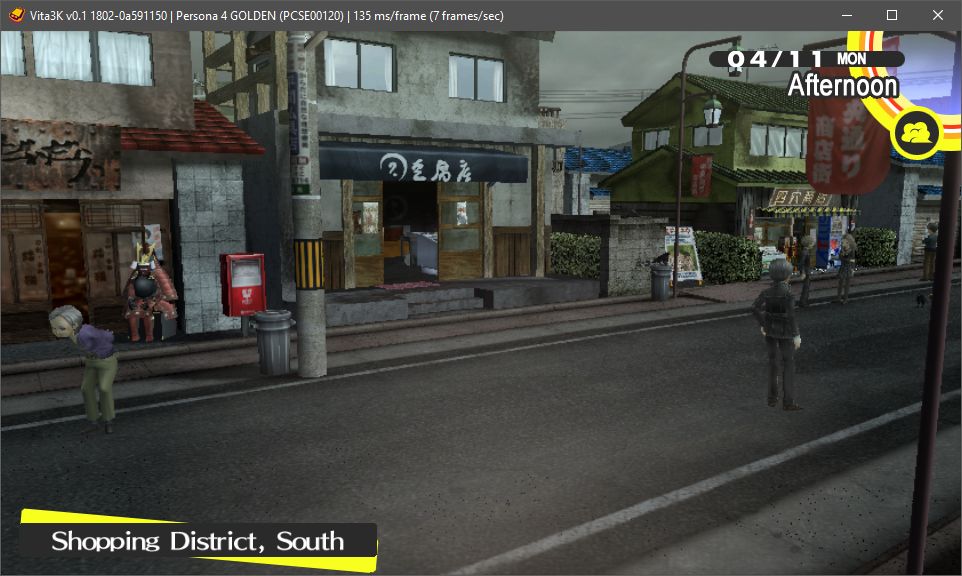
Vita3K is an experimental PlayStation Vita emulator for Windows, Linux, macOS and Android. Its GitHub page says it currently runs most homebrew programs and commercial games. The page I’m looking at doesn’t show a version number or release date, so check the download page for the current build.
The project keeps two compatibility lists, one for homebrew and one for commercial games. The gallery shows titles like Persona 4 Golden, A Rose in the Twilight, VA-11 HALL-A, Fruit Ninja and Jetpack Joyride. Thanks in the readme go to people including TheFlow and Rinnegatamante.
The readme is blunt about the state of things: the project is early, so expect crashes, glitches, low compatibility and poor performance. The developers also ask people to be considerate when opening new issues. Vita3K is licensed under GPLv2, which the readme says is largely dictated by its external dependencies.
If you want to try it:
- Check the quickstart guide against your machine’s minimum requirements.
- Update your graphics driver.
- On Windows, install the Microsoft Visual C++ 2015-2022 Redistributable.
- On Linux, make sure xdg-desktop-portal and OpenGL or Vulkan runtime libraries are installed. Arch users can get vita3k-bin or vita3k-git from the AUR.
- On Android, you’ll need Adreno drivers.
- Download the latest build and start with a game from the compatibility list.
The readme says the project isn’t meant to enable illegal activity. It points to dump tools for pulling games off a Vita, and to VitaDB for homebrew programs. For most of us, the useful part is the compatibility list. Check it before you spend an evening on a game that won’t get past the title screen.