SedotDeck v0.1.0 Released, Bringing Automated Updates for Recomps and Ports to Steam Deck
SedotDeck v0.1.0 leaves alpha with save backups, UI redesigns, and a Decky plugin for managing emulators and ports.
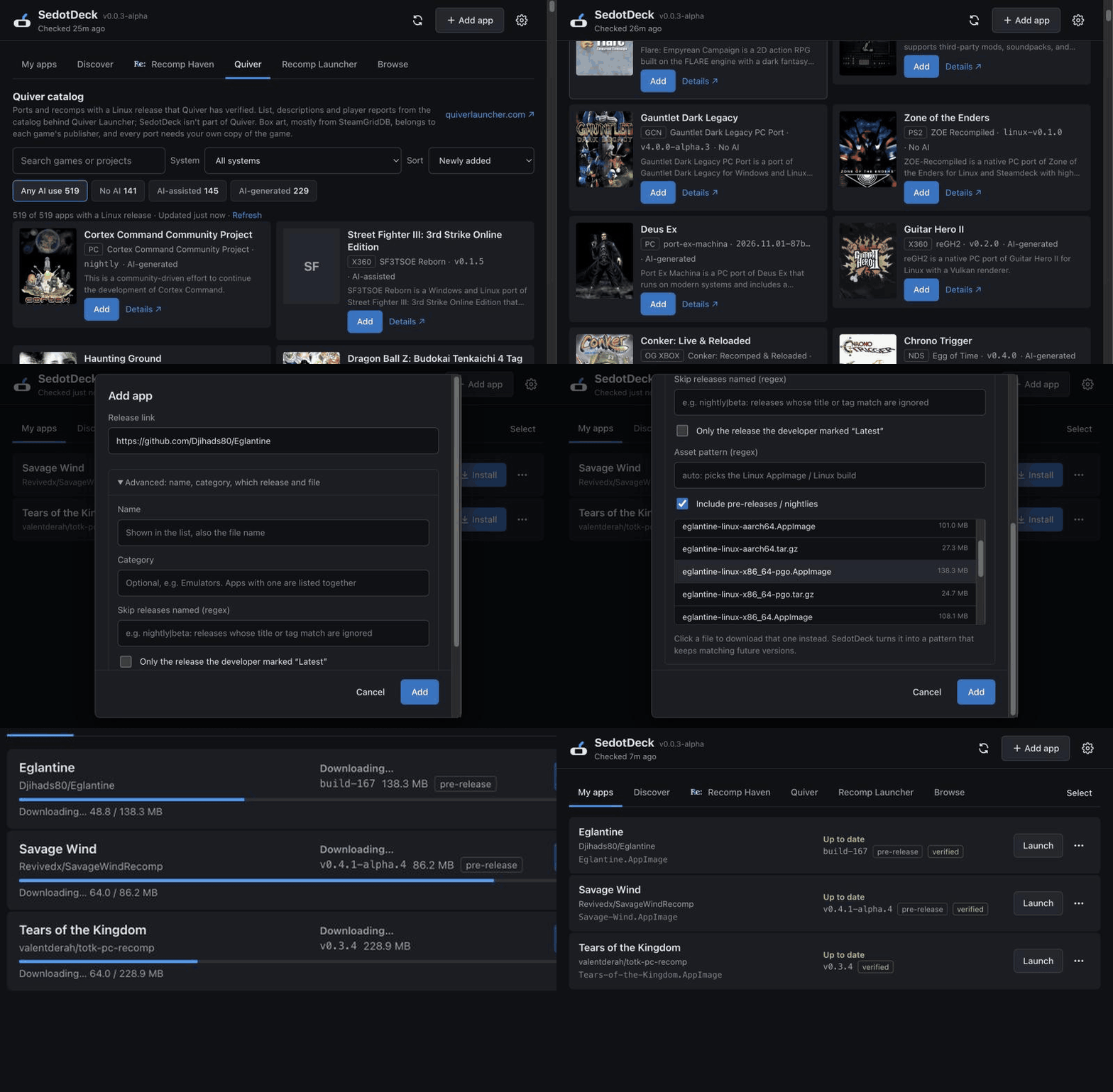
Keeping static recompilations and native ports up to date on handheld Linux has always meant checking each release page by hand. Developer intermission88 released SedotDeck v0.1.0, an open-source tool that automates updates for emulators, PC ports and static recompiled games inside SteamOS, without sudo or pip. Version 0.1.0 leaves alpha, adding automatic save backups, a redesigned interface and a Decky plugin for Game Mode. The README says Claude wrote the code, and the author reviews every change and tests it on a Steam Deck.
How It Works and Key Features
SedotDeck works like Obtainium on Android. It pulls Linux binaries from the official releases pages on code hosts like GitHub or GitLab, and it keeps Steam shortcuts working, so game paths don’t change on update.
- Save Backups: Automatically zips save files before any update, keeping the ten most recent snapshots.
- Browse Integration: Includes catalogs from Recomp Haven, Quiver, unbaked.games and others.
- Controller Support: D-pad navigation, and controller sound effects that are on by default while you use a controller.
How to Try It
- Download
SedotDeck-x86_64.AppImagefor Desktop Mode orSedotDeck-decky-0.1.0.zipfor Game Mode from the SedotDeck Releases page. - In Desktop Mode, mark the AppImage as executable under file properties.
- For Game Mode, install the zip file through the Decky developer settings.
Many projects now ship Linux builds on their release pages, and SedotDeck checks those pages for updates.