Rayman 2: Recompiled v0.1.4 Fixes Wide Window Scene Transitions
Rayman 2: Recompiled v0.1.4 fixes scene transition blotches in wide windows for Windows and Linux.
N64 → PC (Windows), Linux / Steam Deck, Browser · Recompilation
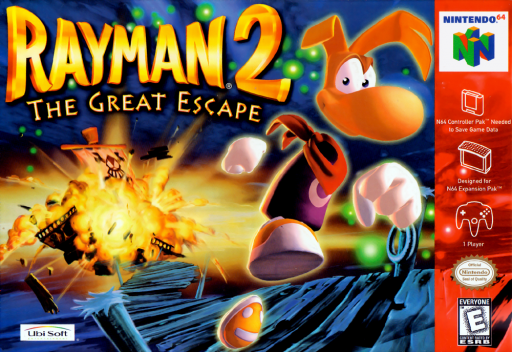
The AI-assisted static recompilation project rayman-2-recomp for Nintendo 64’s Rayman 2: The Great Escape has released version v0.1.4. The port uses N64Recomp, N64ModernRuntime, and RT64, with RecompFrontend for menus. It translates the original MIPS game code into C without decompiling the game. The game has not yet been played from start to finish.
Version v0.1.4 fixes how scene transitions look in wide windows. The black blotches that close over the picture between scenes now spread evenly across the whole window, instead of showing a mirrored copy of the middle over the sides. At Aspect Ratio Original, the game looks as before.
Almost all code in the repository was written by Claude AI agents, directed and play-tested by a person. The code is not offered to the upstream projects it builds on, such as N64Recomp, which don’t take AI-written code.
How to Try It
To run the release, you need your own USA region big-endian .z64 ROM of Rayman 2: The Great Escape, 32 MiB, with SHA-1 50558356b059ad3fbaf5fe95380512b9dceaaf52. Other regions and revisions are not supported.
- Download the archive for your operating system from the release page.
- Windows: Extract
Rayman2Recompiled-v0.1.4-windows-x64.zipand runRayman2Recompiled.exe. You need a recent x64 Visual C++ 2015-2022 redistributable. - Linux: Extract
Rayman2Recompiled-v0.1.4-linux-x64.tar.gzand runRayman2Recompiled. It needs glibc 2.35 or newer, a Vulkan driver, GTK 3, and FreeType.