Plugins Manager 1.00 lets you manage PS4 plugins on the console
Plugins Manager 1.00, a PS4 homebrew app to assign plugins to games and edit plugins.ini on the console.
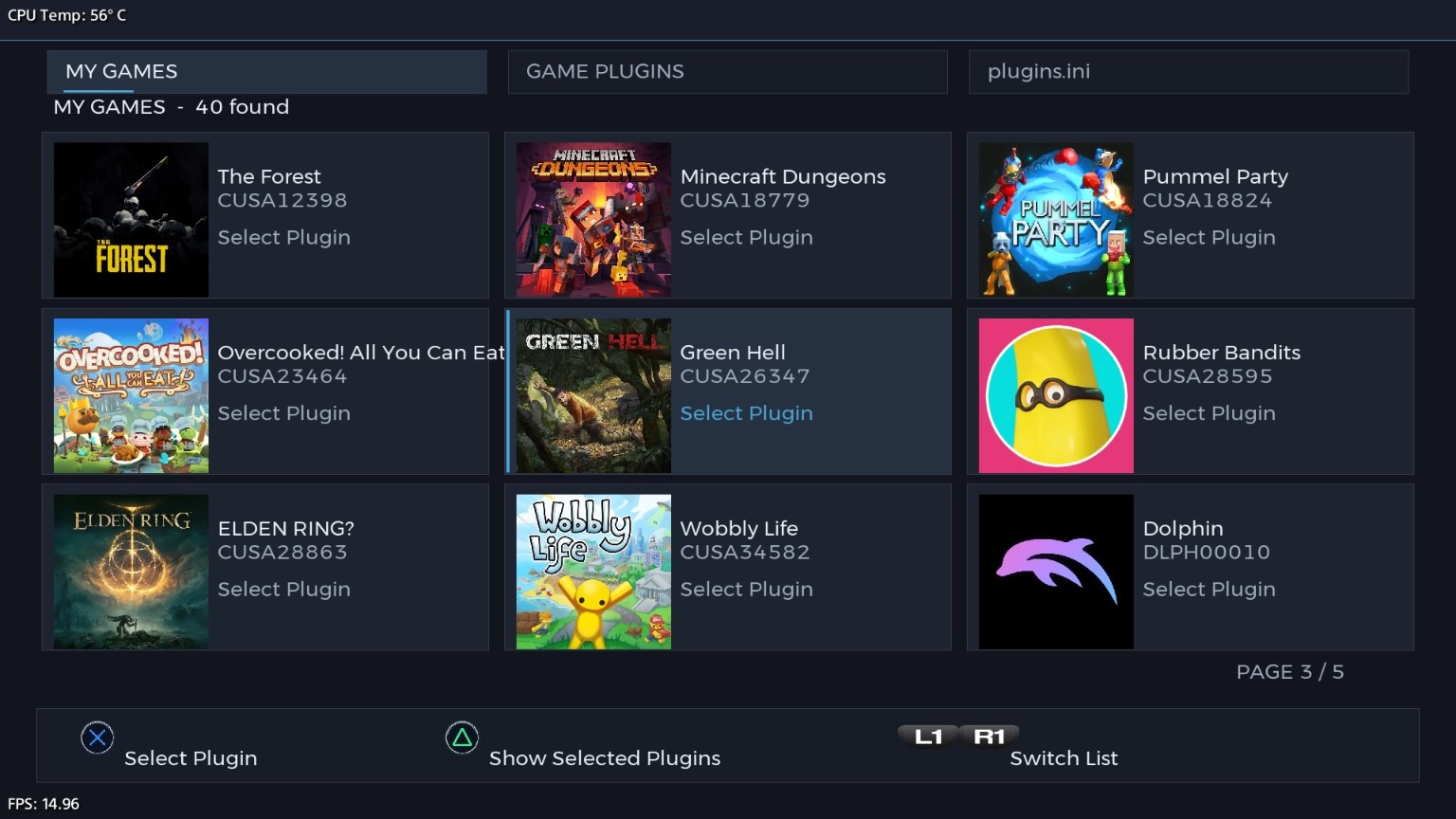
Plugins Manager 1.00, a PS4 homebrew app, came out on November 4, 2026. It runs on the console and handles the plugins for your games. You pick which plugins load for each title, or set one as the default for all applications. User aidam19800 posted it to r/ps4homebrew, and the source is on GitHub.
The Games List shows installed games and apps. Press Cross to choose plugin files from the plugins folder, and Triangle to see which plugins a game already uses. In My Plugins, you can assign one plugin to several games. R3 switches between list and image view. Image view looks for a PNG with the same base name as the plugin, so orbisnet.png goes with orbisnet.sprx.
The plugins.ini editor edits the file line by line, and backups are not made automatically. Press Triangle before you change anything. The README warns that a wrong path or entry can stop plugins from loading. The release notes are empty, and the README does not say which firmware versions are supported.