Porpoise 4.0 adds frame generation beta to the PS5 GameCube and Wii emulator
Porpoise 4.0, a Dolphin-based GameCube and Wii emulator for jailbroken PS5, adds a frame generation beta, Auto Boost and simpler settings.
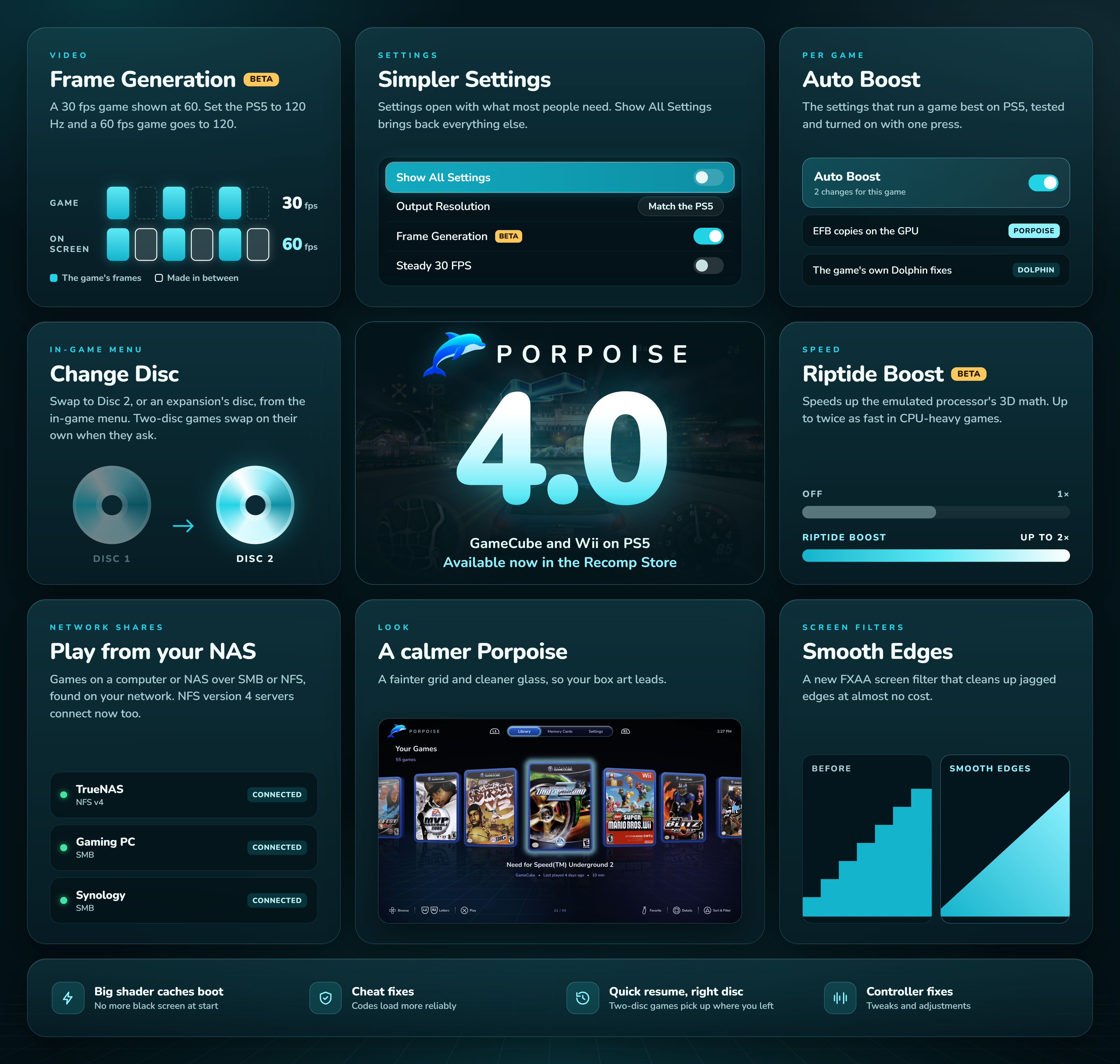
Porpoise 4.0 came out on October 21. It is a GameCube and Wii emulator for jailbroken PS5, built by Ruben Ripalda on top of Dolphin. Porpoise runs Dolphin’s libretro core inside its own launcher, with a box-art library and a menu made for the TV and the DualSense.
The headline addition is frame generation, in beta. A 30 fps game can show at 60, and with the PS5 set to 120 Hz, a 60 fps game can show at 120. It is off by default and needs V-Sync. Under Frame Generation, Steady 30 FPS targets games that swing between 30 and 60.
Settings got a cleanup. Most players see a short list, with Show All Settings for the rest. Auto Boost applies the settings that run a game best on PS5, in one press. The update also adds Change Disc for two-disc games, Player 1’s Port for games that expect your pad in another slot, a Smooth Edges (FXAA) filter, and a Star Cube menu redone after the GameCube’s own. Fixes include smoother quick saves, games with big shader caches no longer stalling on a black screen, and NFS shares with version 3 turned off now connecting.
Installing needs ShadowMountPlus 1.7 beta 4 or newer. Older versions can make Porpoise close right after it opens on firmware 12.x with the Lapy JB Daemon or LegacyJB. From 2.0 or later, the update path is Settings → About → Updates. For a manual install:
- Download
Porpoise-4.0.zip. - Delete
/data/homebrew/PPSA99764/on the PS5. - Copy the
PPSA99764folder into/data/homebrew/. Over FTP, use binary transfers, or some text files won’t copy.
Your saves and settings in /data/porpoise/ stay put. Porpoise ships no games, BIOS or firmware, so you bring your own discs.
The part I find most interesting is Dolphin’s x86-64 JIT running on the PS5’s CPU. Frame generation works differently. It shows a 30 fps game at 60, and whether that feels right depends on the game, so I’d leave it off until you’ve tried it yourself.