Pinball NS 2.9 adds iPhone, macOS and Linux builds
Pinball NS 2.9 brings its fan-made Pokémon Pinball (Game Boy Color) to iPhone, macOS and Linux, with one-screen tables.
Game Boy → Android, iOS, PC (Windows), Mac, Linux / Steam Deck · Emulator
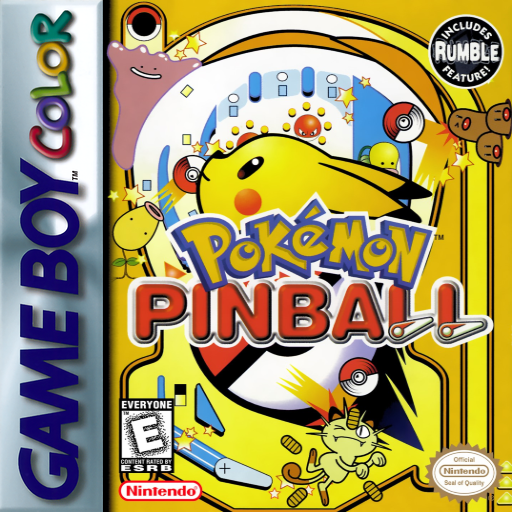
Pinball NS 2.9 adds iPhone, macOS and Linux builds to a project that already ran on Android and Windows. Pinball NS is a fan project that plays Pokémon Pinball, the Game Boy Color pinball game (US version). It carries its own Game Boy Color emulator and hooks the game’s routines, so the ROM itself is never modified.
The tables work differently now. In the original, each table is split into a top and a bottom stage, and only one loads at a time. The screen goes blank while the other loads. Pinball NS puts both halves on one tall screen, and the ball moves between them with no reloading. The original physics and collisions stay. Tables also run in the Game Boy Color’s double-speed mode, so the game doesn’t slow down when a lot happens at once. Pokémon Pinball Generations, the fan-made extension by RainbowDevs, gets the same double-speed mode in 2.9. Before this release it ran at normal speed.
The platforms vary in maturity. The iPhone build is experimental. Apple doesn’t sign the .ipa, so you install it with your own Apple ID through AltStore or Sideloadly, on iOS 14 or later. The macOS build (Apple silicon and Intel, macOS 10.15+) is experimental too and not notarized, so the first launch needs a right click and Open. The Linux build targets x86-64 with glibc 2.34+, X11 or XWayland, and ALSA. Windows needs 10 or 11, 64-bit. On computers, handheld mode (F3) shows the phone screen with its touch keys. F4 hides the keys.
How to try it:
- Dump the ROM from your own cartridge. The README asks for the USA, Australia Rumble Version, with SHA-1 9402014d14969432142abfde728c6f1a10ee4dac. The European version is not supported. The release doesn’t include a ROM.
- Grab the build for your platform from the repository’s Releases.
- Open the ROM with Pinball NS. On Android, use “Open with” or “Share” in your file manager.
The top and bottom of each table no longer swap in and out, so the blank screen is gone. On a phone, that is the most visible change.