Piconet Launcher 0.5.2 cuts F-Zero GX replays to a tenth of their size
Piconet Launcher 0.5.2 for Windows: much smaller F-Zero GX replays, Quick Play countdowns and a portable zip.
GameCube → PC (Windows) · Tool
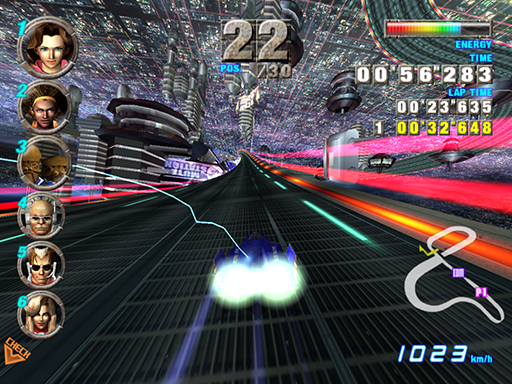
Piconet Launcher 0.5.2 is out for Windows. It is the front end for Piconet, the online multiplayer service for F-Zero GX, the GameCube racer. The launcher starts the native game, piconet-runner, and talks to Piconet’s servers. It reads your own disc image, and no game data ships with it.
The biggest change is replay size. Once a race ends, the game rewrites the replay in a compact form. A three-minute race drops from about 300 KB to some 30 KB. In one player’s folder of 135 replays, the average fell from 296 KB to 32 KB. Replays from this build need this build or a later one to play. Older replays still play.
Quick Play lobbies now start on a countdown once two players are in: 60 seconds with two, shorter with each new player, down to 10 seconds with one seat left. A full lobby still starts at once. The server groups players by version line, so every 0.5 build finds the same lobbies.
Smaller changes: after a race, your camera shows its finish shots once (about 12 seconds), then you watch as a knocked-out racer. The portable zip is back next to the installer. The “Controller navigation” setting is off by default, so a controller does nothing to the launcher’s pages until you turn it on.
To try it, grab the Setup file from the latest release. The first start asks for your disc image and prepares the game’s files from it. Coming from 0.4.0 or earlier? Use Bring over an older copy in Settings to move your replays and settings.