OmniPad CE 1.4.0 adds Xbox Bluetooth and a battery view for PS5 pads
OmniPad CE 1.4.0 lets a jailbroken PS5 use Xbox, DualShock 4 and 8BitDo pads over USB or Bluetooth through a USB adapter.
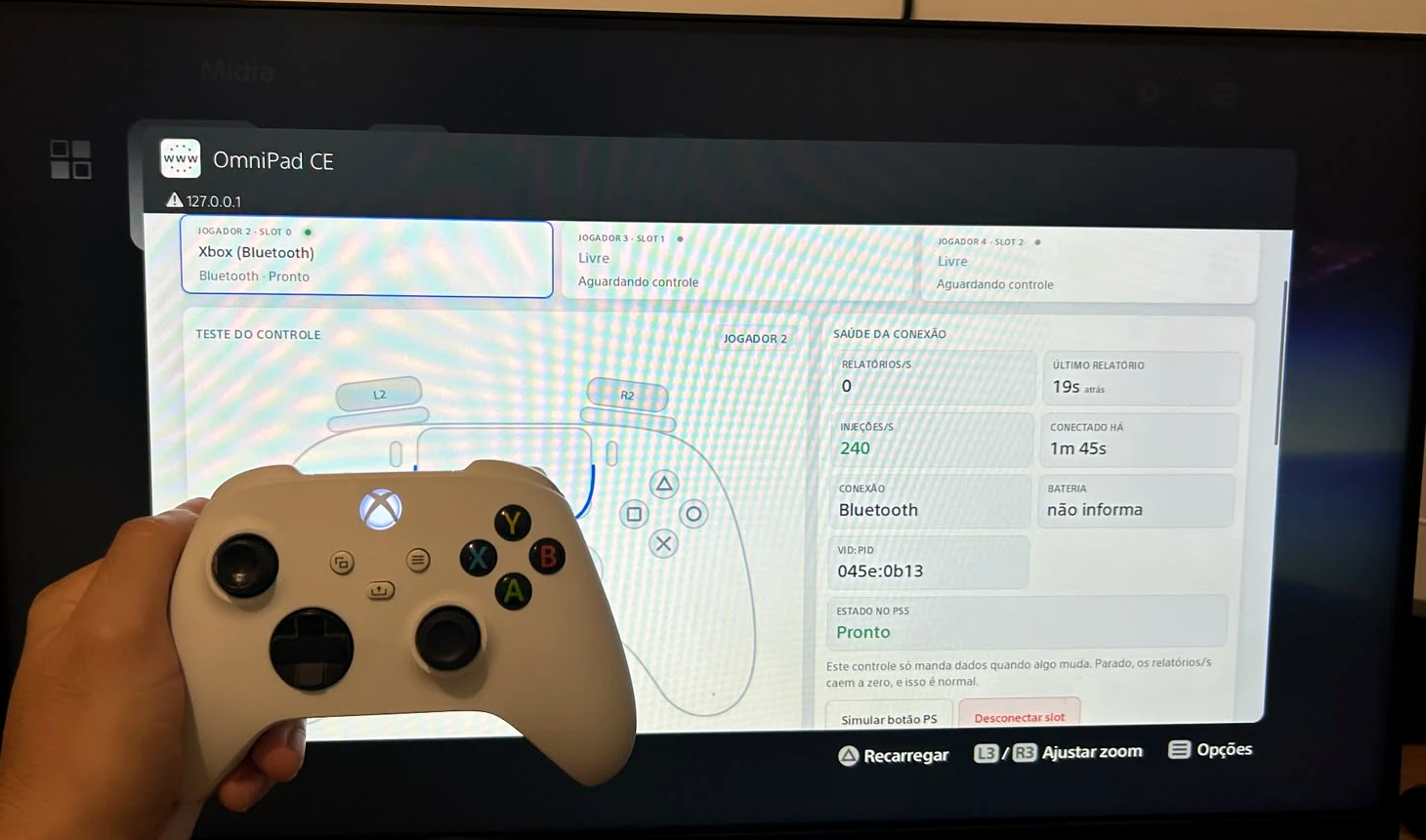
OmniPad CE 1.4.0 is out. It is a payload for jailbroken PS5s on firmware 7.00 to 13.60, and it lets third-party controllers work over USB, 2.4 GHz dongles, or Bluetooth through a USB adapter. Each pad shows up as a DualSense for players 2 to 4. The OmniPad CE project continues OmniPad by diegobarbosaa, which has had no activity since early October 2026.
The PS5 has one Bluetooth radio, and the DualSense needs it. Share that radio with other pads and the DualSense can stall until a restart. OmniPad uses a separate USB adapter instead, and its Bluetooth code comes from AnyPad. The author recommends the TP-Link UB500 (RTL8761B) for two Bluetooth pads at once. Cheap “CSR 4.0” dongles handle one pad. The README warns that searching for a second pad during play can drop both, and then the adapter needs a reset or a replug.
Tested on a PS5 at FW 13.60: Xbox Series X|S over USB and Bluetooth, DualShock 4 over USB and Bluetooth, and the 8BitDo Ultimate 2C through its 2.4 GHz dongle and USB. Xbox One, Xbox 360, DualShock 3, Switch Pro, Joy-Con and generic pads are in the code but not yet tested on a console. The release notes name Xbox Series S as the tested model, while the README says Series X|S.
- Download
OmniPad-CE.elffrom the latest release. - Send it with your payload loader and start it. In Prospero Manager or PLK, press Launch.
- Plug in a controller, or plug in the adapter and put the controller in pairing mode.
- Press PS or Xbox and pick a profile.
The dashboard opens in the Media tab or on your phone. If something breaks, tap Copy diagnostics and paste the text into a GitHub issue.