Nezumiiruka 1.0.0 ports Dolphin to Switch, most GameCube games still short of full speed
Nezumiiruka 1.0.0 is a Switch port of the Dolphin GameCube and Wii emulator. Most GameCube games still sit at 85-90% of their framerate target.
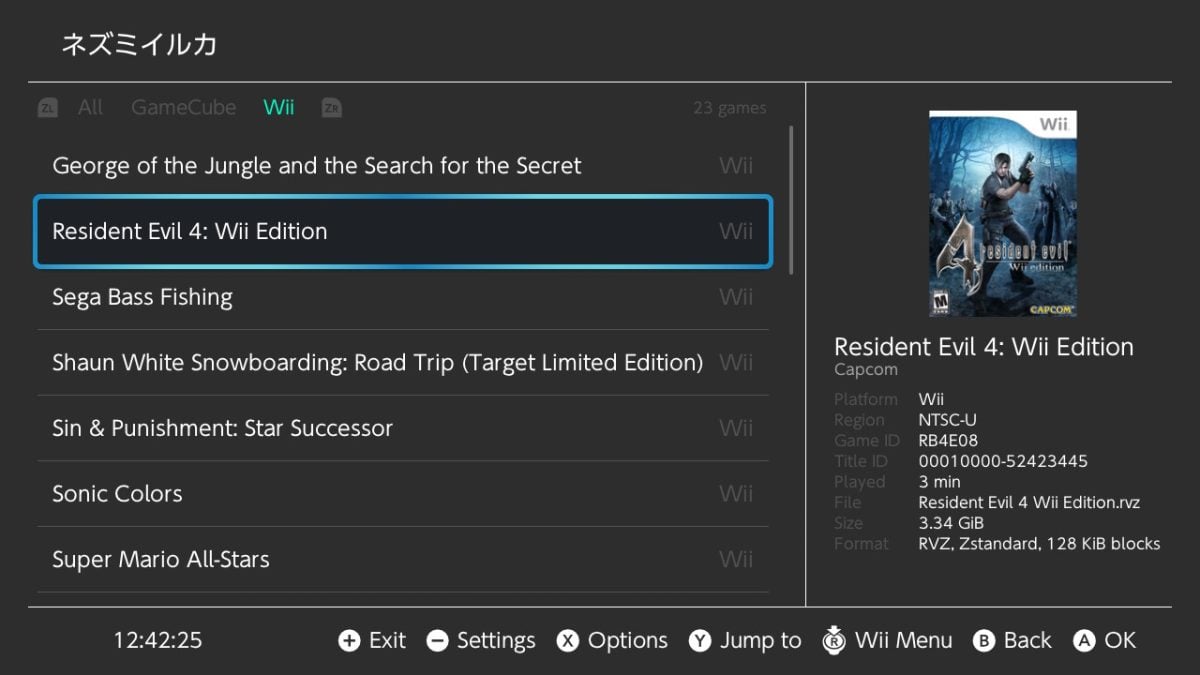
PalindromicBreadLoaf has released version 1.0.0 of Nezumiiruka, a Switch port of Dolphin, the emulator for GameCube and Wii games. The goal is full speed on most GameCube games at stock handheld clocks.
It isn’t there yet. Luigi’s Mansion and Super Smash Bros. Melee already run at full speed. Most other GameCube titles sit at 85-90% of their target framerate. Many Wii games play with an overclock of 1785MHz or more, which the author calls a fairly heavy OC.
The release ships two builds. The author recommends the deko3d build because it’s faster than the Vulkan build and should look the same. Vulkan stays as a fallback for games that don’t work on deko3d.
A tester in the forum thread reports full speed on every GameCube game they tried, at double and sometimes triple the resolution, with the v1 overclock. Ultimate Spider-Man, King Kong, The Lord of the Rings: The Return of the King, Metroid Prime 2 and Metal Arms ran poorly for them. Wii results depend on the game and the settings.
The release includes preset controller configs, an in-game menu opened with - and +, and a profiler the author wants users to send in for slow games. It also has RetroAchievements, where the author believes hardcore mode works too. Cheat support, automatic cheat downloads, WiiLink for the Forecast Channel, GBA Link Cable support, USB storage and an automatic updater are in too. Frame generation runs through Lossless Scaling Frame Generation, a Steam app, and lsfg-nx. It needs a GPU overclock as well.
Save states and shader caches don’t carry between PC and Switch. Netplay between Switch and PC doesn’t work because of constant desyncs, and Switch-to-Switch netplay isn’t implemented yet. The GBA Link Cable doesn’t work over the Wii U GC Adapter.
How to try it
- Download the release from the project’s GitHub releases page.
- Pick the deko3d build unless a game fails on it.
- Read the README before you start. It covers the subsystems and how to set up frame generation.
- Put your games in
sdmc:/switch/nezumiiruka/roms, the default path.
The author asks for bug reports and feature requests on the GitHub page.
Many Wii games need an overclock, and most GameCube games still miss full speed. The next releases will show whether the 85-90% games reach full speed.