NASBridge lets a PS5 pull and install games straight from a NAS
NASBridge is an early, GPL-3.0 native PS5 app that copies games from a NAS over WebDAV and installs them on firmware 13.60.
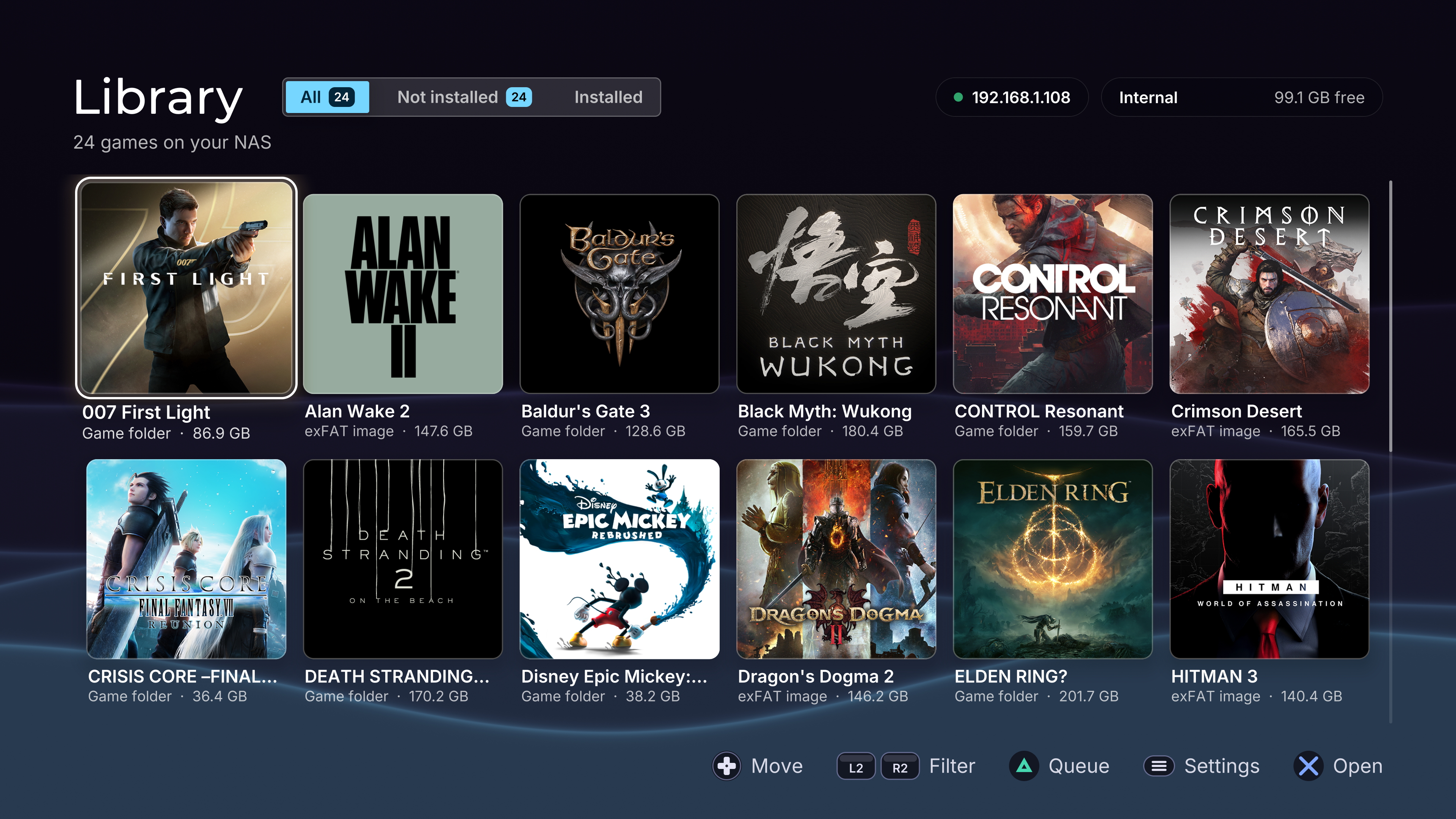
NASBridge is a native PS5 app that copies games from a NAS over WebDAV and installs them, so you don’t need a PC in the middle. The author tested it on firmware 13.60 and calls it an early release.
The app shows your NAS library with covers, names and sizes, then copies the game you pick straight to the console. A copy queue lets you line up several games, reorder them, and pause and resume. After a restart of NASBridge or the PS5, the copy picks up where it stopped, and free space gets checked before each game. Big files travel over several connections at once. The author sees about 50 MB/s from a single-disk NAS over WiFi. Finished installs appear on the home screen through drakmor’s ShadowMountPlus, which the author forked so installs and removals happen without closing the app. Deleting a big folder-based game takes a few minutes, because of how ShadowMountPlus handles it.
The code is GPL-3.0 and works only with WebDAV for now. The author, a software engineer with 15 years behind him, says he built it with Claude and shared it because he liked it. To get the smooth install flow you need the ShadowMountPlus fork, with instructions on GitHub. An open merge request asks drakmor to take the changes upstream.