Jewel Case 1.1 turns the PS5 home screen into a cartridge shelf
Jewel Case 1.1 adds 3D cartridges and discs, real disc scans, game info and Switch update support for jailbroken PS5 consoles.
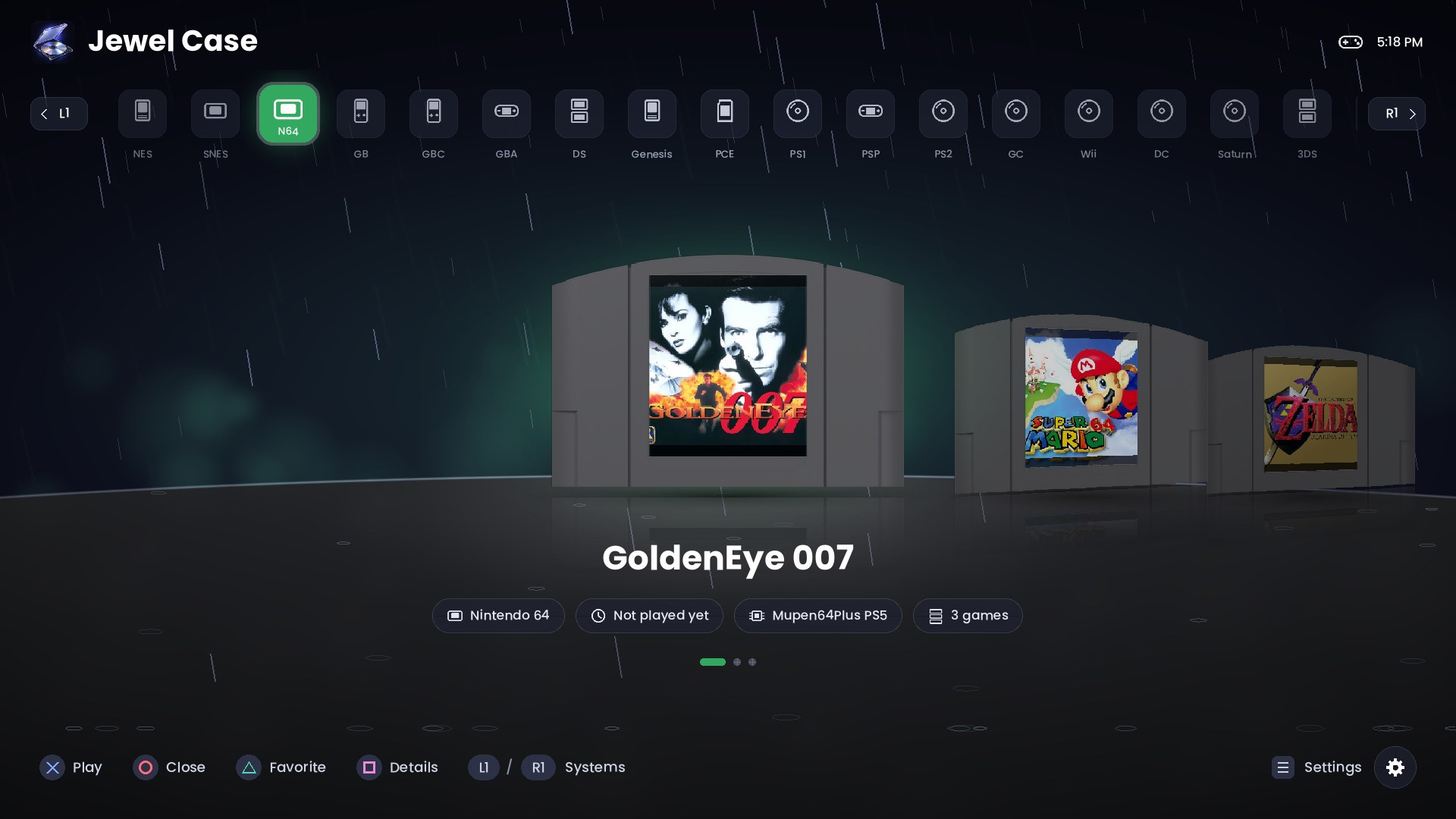
Jewel Case 1.1 is out. It’s a home-screen ROM launcher for jailbroken PS5s that shows games from every system as cartridges and discs with box art, then starts each one in the right emulator. SkaRift wrote it under GPL-3.0.
The biggest change is the look. Cartridges, cards and discs are now drawn from 3D models. When a scan of the real disc exists, the app pulls it from the LaunchBox Games Database, or from GameTDB for GameCube and Wii. The details screen shows year, genre, developer and description.
Updates and DLC now sit with their game instead of showing up as extra entries. For Switch, ProsperoEden (a Switch emulator for PS5) gets its games listed from its game files folder, and updates and DLC are applied when a game starts. Other emulators get an amber or green chip that shows whether an update or DLC is installed.
Limits: PS1 (PSXS5) and PS2 (PS5SX2) don’t accept a game at launch yet, so they open their own game lists. The release was tested on firmware 13.42 with etaHEN.
How to try it:
- Download PPSA75837.zip and extract it.
- Copy the PPSA75837 folder to /data/homebrew/ on the PS5.
- Install it with ShadowMountPlus, an installer for homebrew folders.
- Run an ELF loader on port 9021. etaHEN has one built in.