Indiana Jones and the Infernal Machine Port Lands on 3DS
TeamEurope released version 1.2 of Infernal Machine 3DS, bringing the 1999 PC adventure game natively to the Nintendo handheld.
PC (Windows) → 3DS · Port
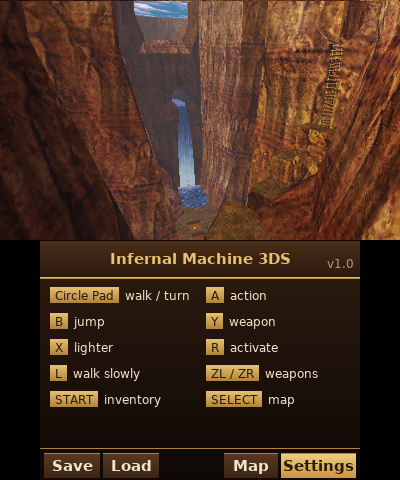
TeamEurope released version 1.2 of Infernal Machine 3DS, a native Nintendo 3DS port of the 1999 PC game Indiana Jones and the Infernal Machine. The release brings stereoscopic 3D, a bottom screen level map, quick saves, and a custom HOME menu banner.
The port requires your own game data from the PC version or its demo. Because the engine and artwork are decoupled from game assets, the release includes only the executable files (indy3ds.cia and indy3ds.3dsx).
How to Try It
- Format your game files using the included GOB packer (tools/compress_gob.py or the Windows GUI) to compress assets with LZ4 and optionally merge CD1.GOB and CD2.GOB into a single file to save SD card space.
- Copy your version folder (containing Jones3D.GOB and your packed CD files) to sdmc:/3ds/indy3ds/ on your SD card.
- Install indy3ds.cia using FBI or run indy3ds.3dsx from the Homebrew Launcher. Note that the CIA install is recommended if you experience memory limits through the launcher.
- Ensure you have dspfirm.cdc on your SD card for audio.
The build is in beta, and the team plans to release the source code alongside the final version.
Sources: gbatemp.net